{% columns %}
{% column %}
### Get started in just 5 minutes
Setting up your menu shouldn't take hours. Unlike other resellers with unclear instructions, Clutch Keys is proud to provide the most advanced and detailed documentation ever. Period.
Click below to get started or purchase your menu today.
DocumentationShop Now
{% endcolumn %}
{% column %}
{% code title="index.js" overflow="wrap" %}
```javascript
// Import the reseller
import ClutchKeysAPI from "clutchkeys-api";
// Initialize the store
const client = new ClutchKeysAPI({ apiKey: "CLUTCHKEYS_API_KEY" });
// Unlock your first menu
const response = await client.mods.activate({
product: "Midnight-CS2",
feature: "Aimbot",
mode: "legit"
});
// Dominate!
console.log("Midnight CS2 from Clutch Keys activated:", response.status);
```
{% endcode %}
{% endcolumn %}
{% endcolumns %}
{% columns %}
{% column %}
{% endcolumn %}
{% column %}
### Connect with us
Prefer video guides or want to connect with our social medias? Follow us on all your favorite platforms.
YouTubeInstagram
{% endcolumn %}
{% endcolumns %}
Join a community of over 1,000 gamers
Cover image
:discord:
Discord community
Join our Discord community to post questions, get help, and share resources with over 1,000 like-minded gamers.
# About Us
Clutch Keys - Known as the BEST resellers on the market! Find out why:
Founded in 2025, **Clutch Keys** is the #1 software reseller on the market. We strive to provide our customers with excellent service. Our team tests all our products to ensure their saftey and reliability before releasing them to the public. Currently, we provide menus for CS2, COD, R6, Discord, and we’re constantly searching for new products to add to our store.
What are you waiting for? Unlock your advantage with **Clutch Keys** today!
# FAQ
Here are the most frequently asked questions regarding Clutch Keys.
## 🌐 Store FAQ
🔑 What is Clutch Keys?
We are software resellers who provide menus for games like CS2, COD, R6, and many more. We provide 24/7 support, instant delivery, and impressive documentation for each product.
💰 What Payment Methods Are Accepted?
We currently accept Credit / Debit cards, Cash App, Buy Now Pay Later services, and several cryptocurrencies.
💳 Is It Safe to Purchase from Here?
Yes, it is 100% safe to use your credit/debit card on our website. We use 256-bit encryption to protect all accounts and purchases made through our website. We use [Stripe](https://stripe.com/) to process all our card transactions.
⏱️ How Long is Product Delivery?
Our products are delivered instantly after your payment has been processed.
* For card transactions, this is usually only a few seconds.
* For crypto transactions, it could take 5-30 minutes, depending on the crypto network that is chosen.
* For manually confirmed payment methods, like gift cards, a support agent will have to process your order, which usually takes a maximum of 1 hour.
💸 Can I Get a Refund?
Please review our [Refund Policy](https://clutchkeys.com/terms-of-service/).
* Our goal is 100% customer satisfaction, so unlike most resellers, we strive to have the best refund policy around.
* Because we are resellers, we are bound by the rules of the owners of the products that we sell. If they do not allow refunds, we are not allowed to refund our customers. This is detailed in our refund policy linked above.
* If your product is in the list of returnable products, and it has been less than 7 days, you may qualify for a refund.
* If you have a product that is used and is not wanted anymore, you may receive a 50% refund. For a product that is used and is not compatible/working on your system, you will receive a 100% refund.
* Please get in touch with our [support team](https://clutchkeys.com/contact-us/), and we will process the refund within 3-5 business days.
💹 Can I Switch Currencies?
Currently, we do not support the option of switching currencies. However, at checkout, your bank will automatically convert your payment to USD.
🙋♂️ How Can I Contact Support?
If you need assistance with your order, you can contact our support via [email](mailto:support@clutchkeys.com), [Discord](https://clutchkeys.com/discord), or our [contact form](https://clutchkeys.com/contact-us).
If you need assistance with your product, you can contact the menu's support center, which can be found in the menu documentation
📦 How Often Do We Restock?
We believe in customer satisfaction, which is why we try to keep all products in stock at any given time. In the rare cases that a product is out of stock, we typically try to restock it the same day it goes out of stock.
❌ Why Was My Order Cancelled?
This could be for various reasons. For example, your card was declined, your card did not approve the transaction before the order checkout window expires, you are using a private browser/VPN, and many more.
To find out the exact reason, please contact our support.
## 📦 Product FAQ
💀 How to Turn Off Antivirus
#### Why Should I Disable My Antivirus?
All menus will require you to turn off your antivirus. This is because it will flag a false positive from most anti-malware providers. Even though the menu doesn't affect your computer in a negative way, it affects the memory, which causes your antivirus to flag.
#### Will Disabling It Give Me A Virus?
All of the products in our store are thoroughly tested to ensure that there are no viruses present. However, because your antivirus is disabled, you may be vulnerable to other suspicious downloads and links. Therefore, turning your antivirus back on any time you are not using the menu is recommended.
## How Do I Turn My Antivirus Off?
> 1. Disable Your Browser's Antivirus
> 1. Guides: [Chrome](https://ugetfix.com/ask/how-to-disable-or-enable-safe-browsing-on-google-chrome/), [Firefox](https://support.mozilla.org/en-US/questions/922449), [Edge](https://answers.microsoft.com/en-us/microsoftedge/forum/all/safe-search-in-new-edge-browser/44850078-e3c7-4aa3-8f48-13c984d59fc8)
> 2. Disable/Uninstall 3rd-Party Antivirus
> 1. Guides: [Malwarebytes](https://smallbusiness.chron.com/temporarily-disable-malwarebytes-65355.html), [Avast](https://support.garmin.com/en-GB/?faq=X1wP0rGse27dt5rla7uGR8), [McAfee](https://www.wikihow.com/Disable-McAfee)
> 3. Disable Windows Antivirus
> 1. Guide: [Real-Time Protection](https://support.microsoft.com/en-us/windows/turn-off-defender-antivirus-protection-in-windows-security-99e6004f-c54c-8509-773c-a4d776b77960)
#### When Can I Turn My Antivirus Back On?
You can turn your antivirus back on whenever you are not using the menu. However, sometimes your antivirus will automatically delete the menu file. To prevent this, you can add your menu file as an [exclusion](https://support.microsoft.com/en-us/windows/add-an-exclusion-to-windows-security-811816c0-4dfd-af4a-47e4-c301afe13b26#:~:text=Go%20to%20Start%20%3E%20Settings%20%3E%20Update,%2C%20file%20types%2C%20or%20process.) in your antivirus settings.
🎮 Can I Use the Menus on Console?
**No.** All menus that we sell are for **PC only.**
No refunds will be provided if you purchase a menu with the intent to use it on console.
⌛ Are the Products Lifetime?
It depends on the product. If the product has a time frame in its name, it is subscription-based (ex. Midnight CS2 - 30 Days). If it doesn't have a time frame, it's a lifetime menu (ex. MesaChanger Lifetime).
🔄 Are Updates Provided for Free?
Yes, every menu we sell provides updates at no additional charge. Updates will continue to be provided until the end of the product's lifetime.
🚫 Invalid HWID
## What is a HWID?
Your Hardware ID (HWID) is a distinct set of characters that binds your computer to the software. This is implemented to prohibit account sharing. If you receive this error, it is often because you replaced a component in your computer or used some sort of spoofer.
## How Do I Fix the Error?
To fix the error, you simply have to reset your HWID to bind the software to your new hardware.
Each menu will have its own process for resetting the HWID. Typically, you can find the option on the menu website, loader, or you may have to create a ticket in the product's Discord server.
# Contact Us
# Useful Links
# Exodus RDR2
This documentation includes everything you need to know about Exodus RDR2, including images, showcases, a download guide, and useful links.
## ❓ What is Exodus?
Exodus RDR2 Mod Menu is a high-performance internal menu built exclusively for Red Dead Online gameplay. Featuring powerful recovery options such as gold and XP, advanced crash protections, teleport tools, ESP, model and animal spawning, and spoofing features, it delivers stable performance, deep control, and a reliable experience every session.
{% content-ref url="/pages/n7LYOxySFkdr0dCpyXJZ" %}
[Redeem Key - Exodus RDR2](/documentation/red-dead-redemption-2/exodus-rdr2/redeem-key-exodus-rdr2)
{% endcontent-ref %}
{% content-ref url="/pages/7PI7TG4DGIHL60SIQm9h" %}
[Download - Exodus RDR2](/documentation/red-dead-redemption-2/exodus-rdr2/download-exodus-rdr2)
{% endcontent-ref %}
{% content-ref url="/pages/BlDlkfLjArxtgC5yeEG6" %}
[Keybinds - Exodus RDR2](/documentation/red-dead-redemption-2/exodus-rdr2/keybinds-exodus-rdr2)
{% endcontent-ref %}
{% content-ref url="/pages/S7s8uyP6F6qf9zCsvzGX" %}
[Useful Links - Exodus RDR2](/documentation/red-dead-redemption-2/exodus-rdr2/useful-links-exodus-rdr2)
{% endcontent-ref %}
## 🖼️ Menu Images
## 📺 Showcases
* *Coming soon.*
# Redeem Key - Exodus RDR2
This section will explain how to redeem your Exodus RDR2 license key.
## Where Is My License Key?
* You will be taken to a page that lists your order immediately after purchase.
* You will receive an email with your order (often in your spam folder).
* You can check your orders on the site by visiting the Account -> Orders tab.
* License keys are available only on the site.
## Redeeming Your License
1. Visit the [Exodus Website](https://exodusmenu.com/account/sign-up) and register an account.
2. Go to the [Redeem page](https://exodusmenu.com/store/red-dead-online/rdr-online-mod-menu/view) and redeem your key.
## Video Tutorial
* *Coming soon.*
# Download - Exodus RDR2
This section explains how to download Exodus RDR2.
## Redeem Your License Key
You must redeem your license key before downloading if you haven't already.
{% content-ref url="/pages/n7LYOxySFkdr0dCpyXJZ" %}
[Redeem Key - Exodus RDR2](/documentation/red-dead-redemption-2/exodus-rdr2/redeem-key-exodus-rdr2)
{% endcontent-ref %}
## Disable Your Antivirus
You must disable all antivirus software before installing the menu.
[FAQ](/documentation/clutch-keys/faq#how-to-turn-off-antivirus)
## Install the Loader
1. Download [Xenos Injector](https://github.com/DarthTon/Xenos/releases/download/2.3.2/Xenos_2.3.2.7z)
2. Download the [Exodus dll](https://exodusmenu.com/account/library).
3. Extract **Xenos** from `Xenos_x.x.x.7z` using a free file archiver like [7-Zip](https://www.7-zip.org/download.html).
4. Open the 64-bit Xenos injector (`Xenos64.exe`) and add the downloaded **Exodus DLL** by either pressing `Add` or simply dragging and dropping the **.dll** into **Xenos64**.
5. Start **RDR2**, and launch **Freemode** in the Online Main Menu.
6. After **10 seconds**, select `RDR2.exe` as process in the **Xenos Injector** and click `Inject`.
7. Wait until a console window opens asking you to enter your **Exodus account** information in `Credentials.json`.
{% hint style="danger" %}
Experiencing Issues?
* If you are crashing, unable inject, or encountering other fatal issues, please contact their [Discord support](https://discord.gg/YVWGTt87E8)
{% endhint %}
## Video Tutorial
* *Coming soon.*
# Keybinds - Exodus RDR2
Everything you need to know about how to use Exodus RDR2 will be listed here.
## Keybinds
* Open/Close: F3
* Navigate: Arrow Keys
# Useful Links - Exodus RDR2
All useful links for Exodus RDR2 will be listed here.
## Exodus
[Exodus Website](https://exodusmenu.com/)
[Exodus Discord](https://discord.gg/YVWGTt87E8)
## Clutch Keys
[Website](/documentation/clutch-keys/contact-us)
[Refund Policy](https://clutchkeys.com/terms-of-service)
[Privacy Policy](https://clutchkeys.com/privacy-policy)
[Trustpilot](https://www.trustpilot.com/review/clutchkeys.com)
[YouTube](https://youtube.com/clutchkeys)
[Discord](mailto:undefined)
# Ovix RDR2
This documentation includes everything you need to know about Ovix RDR2, including images, showcases, a download guide, and useful links.
## ❓ What is Ovix?
Ovix RDR2 Mod Menu is a high-performance internal menu built for single-player and online gameplay customization. Featuring powerful player, weapon, world, protection, and recovery options such as gold and XP, it delivers smooth performance, stability, and a flexible experience every session.
{% content-ref url="/pages/XTVWgpspSxEtOJ0x6XnW" %}
[Redeem Key - Ovix RDR2](/documentation/red-dead-redemption-2/ovix-rdr2/redeem-key-ovix-rdr2)
{% endcontent-ref %}
{% content-ref url="/pages/6diiQ4mzSebnT3pcz95o" %}
[Download - Ovix RDR2](/documentation/red-dead-redemption-2/ovix-rdr2/download-ovix-rdr2)
{% endcontent-ref %}
{% content-ref url="/pages/RenmRPXBDi19ypS6EbxX" %}
[Keybinds - Ovix RDR2](/documentation/red-dead-redemption-2/ovix-rdr2/keybinds-ovix-rdr2)
{% endcontent-ref %}
{% content-ref url="/pages/mIVqfzIRBr6HK3obAMaJ" %}
[Useful Links - Ovix RDR2](/documentation/red-dead-redemption-2/ovix-rdr2/useful-links-ovix-rdr2)
{% endcontent-ref %}
## 🖼️ Menu Images
## 📺 Showcases
* *Coming soon.*
# Redeem Key - Ovix RDR2
This section will explain how to redeem your Ovix RDR2 license key.
## Where Is My License Key?
* You will be taken to a page that lists your order immediately after purchase.
* You will receive an email with your order (often in your spam folder).
* You can check your orders on the site by visiting the Account -> Orders tab.
* License keys are available only on the site.
## Redeeming Your License
1. Visit the [Ovix Website](https://ovix.one/dash/register.php) and register an account.
2. Go to the [Upgrades page](https://ovix.one/dash/user/account.php) and redeem your key.
## Video Tutorial
* *Coming soon.*
# Download - Ovix RDR2
This section explains how to download Ovix RDR2.
## Redeem Your License Key
You must redeem your license key before downloading if you haven't already.
{% content-ref url="/pages/XTVWgpspSxEtOJ0x6XnW" %}
[Redeem Key - Ovix RDR2](/documentation/red-dead-redemption-2/ovix-rdr2/redeem-key-ovix-rdr2)
{% endcontent-ref %}
## Disable Your Antivirus
You must disable all antivirus software before installing the menu.
[FAQ](/documentation/clutch-keys/faq#how-to-turn-off-antivirus)
## Install the Loader
1. Download the [Ovix Loader](https://ovix.one/dash/user/download.php).
2. Open the Ovix loader as admin and login with your Ovix credentials.
3. Start RDR2 into story mode, then click the "inject" button on the launcher.
{% hint style="danger" %}
Experiencing Issues?
* If you are crashing, unable inject, or encountering other fatal issues, please contact their [ticket support](https://org.ovix.one/)
{% endhint %}
## Video Tutorial
* *Coming soon.*
# Keybinds - Ovix RDR2
Everything you need to know about how to use Ovix RDR2 will be listed here.
## Keybinds
* Open/Close: F8
* Navigate: Arrow Keys
# Useful Links - Ovix RDR2
All useful links for Ovix RDR2 will be listed here.
## Ovix
[Ovix Website](https://ovix.one/)
[Ovix Discord](https://discord.gg/2px7DbyWrn)
## Clutch Keys
[Website](/documentation/clutch-keys/contact-us)
[Refund Policy](https://clutchkeys.com/terms-of-service)
[Privacy Policy](https://clutchkeys.com/privacy-policy)
[Trustpilot](https://www.trustpilot.com/review/clutchkeys.com)
[YouTube](https://youtube.com/clutchkeys)
[Discord](mailto:undefined)
# Anxiety CS2
This documentation includes everything you need to know about Anxiety CS2, including images, showcases, a download guide, and useful links.
## ❓ What is Anxiety CS2?
Anxiety CS2 is a high-performance external CS2 cheat built to enhance your Counter-Strike 2 gameplay with advanced, undetected features. Designed for legit and semi-rage playstyles, this CS2 hack includes a smooth and configurable CS2 aimbot, external ESP wallhacks, triggerbot, recoil control scripts, and fully customizable settings.
{% content-ref url="/pages/KU7td1GvD2Vu8sqOv1J6" %}
[Redeem Key - Anxiety CS2](/documentation/counter-strike-2/anxiety-cs2/redeem-key-anxiety-cs2)
{% endcontent-ref %}
{% content-ref url="/pages/6k9OA2oRnhcMPTQtwUaM" %}
[Download - Anxiety CS2](/documentation/counter-strike-2/anxiety-cs2/download-anxiety-cs2)
{% endcontent-ref %}
{% content-ref url="/pages/NmzpjkAoQQewnUuaIbyN" %}
[Keybinds - Anxiety CS2](/documentation/counter-strike-2/anxiety-cs2/keybinds-anxiety-cs2)
{% endcontent-ref %}
{% content-ref url="/pages/bIxwGM6g62ASWtmZx2Ec" %}
[Useful Links - Anxiety CS2](/documentation/counter-strike-2/anxiety-cs2/useful-links-anxiety-cs2)
{% endcontent-ref %}
## 🖼️ Menu Images
## 📺 Showcases
* *Coming soon.*
# Redeem Key - Anxiety CS2
This section will explain how to redeem your Anxiety CS2 license key.
## Where Is My License Key?
* You will be taken to a page that lists your order immediately after purchase.
* You will receive an email with your order (often in your spam folder).
* You can check your orders on the site by visiting the Account -> Orders tab.
## Redeeming Your License
1. Visit the [Anxiety Website](https://anxietycheats.xyz/forum/index.php?register/) and create an account.
2. Head to the [Activation Page](https://anxietycheats.xyz/forum/index.php?account/upgrades), and enter your License Key.
## Video Tutorial
* *Coming soon.*
# Download - Anxiety CS2
This section explains how to download Anxiety CS2.
## Redeem Your License Key
You must redeem your license key before downloading if you haven't already.
{% content-ref url="/pages/KU7td1GvD2Vu8sqOv1J6" %}
[Redeem Key - Anxiety CS2](/documentation/counter-strike-2/anxiety-cs2/redeem-key-anxiety-cs2)
{% endcontent-ref %}
## Disable Your Antivirus
You must disable all antivirus software before installing the menu.
[FAQ](/documentation/clutch-keys/faq#how-to-turn-off-antivirus)
## Install the Loader
1. Download the [loader](https://anxietycheats.xyz/forum/index.php?forums/download-loader.5/).
2. Open CS2, and Run the Anxiety loader as **Admin**.
3. Log into your Anxiety Account.
4. Go to the CS2 tab and press **Load**.
{% hint style="danger" %}
Experiencing Issues?
* If you are crashing, unable inject, or encountering other fatal issues, please contact their [ticket support](https://anxietycheats.xyz/forum/index.php?support-tickets/)
{% endhint %}
## Video Tutorial
* *Coming soon.*
# Keybinds - Anxiety CS2
Everything you need to know about how to use Anxiety CS2 will be listed here.
## Keybinds
* Open/Close: INSERT or DEL
* Navigate: Mouse
# Useful Links - Anxiety CS2
All useful links for Anxiety CS2 will be listed here.
## Anxiety
[Anxiety Website](https://anxietycheats.xyz/forum/index.php)
[Anxiety Discord](https://discord.gg/hVM43kYnyz)
## Clutch Keys
[Website](/documentation/clutch-keys/contact-us)
[Refund Policy](https://clutchkeys.com/terms-of-service)
[Privacy Policy](https://clutchkeys.com/privacy-policy)
[Trustpilot](https://www.trustpilot.com/review/clutchkeys.com)
[YouTube](https://youtube.com/clutchkeys)
[Discord](mailto:undefined)
# Baimless CS2
This documentation includes everything you need to know about Baimless CS2, including images, showcases, a download guide, and useful links.
## ❓ What is Baimless?
Baimless CS2 is a high-performance external Counter-Strike 2 cheat designed specifically for legit gameplay. Built using a secure kernel-bypass method, Baimless is commonly chosen by players searching for safe CS2 cheats, external CS2 hacks, and legit CS2 aimbot solutions focused on long-term account use.
{% content-ref url="/pages/IQbMoTzkTRJOwKDJI7Fv" %}
[Redeem Key - Baimless CS2](/documentation/counter-strike-2/baimless-cs2/redeem-key-baimless-cs2)
{% endcontent-ref %}
{% content-ref url="/pages/Y23hpqtVJGILm4K9JRCA" %}
[Download - Baimless CS2](/documentation/counter-strike-2/baimless-cs2/download-baimless-cs2)
{% endcontent-ref %}
{% content-ref url="/pages/oGr4mWyXKCsdYzX4QTmw" %}
[Keybinds - Baimless CS2](/documentation/counter-strike-2/baimless-cs2/keybinds-baimless-cs2)
{% endcontent-ref %}
{% content-ref url="/pages/l0hnSfvl1mFpEM0vt6hN" %}
[Useful Links - Baimless CS2](/documentation/counter-strike-2/baimless-cs2/useful-links-baimless-cs2)
{% endcontent-ref %}
## 🖼️ Menu Images
## 📺 Showcases
* *Coming soon.*
# Redeem Key - Baimless CS2
This section will explain how to redeem your Baimless CS2 license key.
## Where Is My License Key?
* You will be taken to a page that lists your order immediately after purchase.
* You will receive an email with your order (often in your spam folder).
* You can check your orders on the site by visiting the Account -> Orders tab.
## Redeeming Your License
1. Visit the [Baimless website](https://redeem.baimless.com/create.html) and enter your license key.
2. Once your account is created, the license key will be redeemed automatically.
## Video Tutorial
* *Coming soon.*
# Download - Baimless CS2
This section explains how to download Baimless CS2.
## Redeem Your License Key
You must redeem your license key before downloading if you haven't already.
{% content-ref url="/pages/IQbMoTzkTRJOwKDJI7Fv" %}
[Redeem Key - Baimless CS2](/documentation/counter-strike-2/baimless-cs2/redeem-key-baimless-cs2)
{% endcontent-ref %}
## Disable Your Antivirus
You must disable all antivirus software before installing the menu.
[FAQ](/documentation/clutch-keys/faq#how-to-turn-off-antivirus)
## Install the Loader
1. Download the loader from their [Website](https://baimless.com/forums/files/file/3-baimless-cs2-loader/).
2. Run the `.exe` as admin before launching CS2.
3. Log into your **Baimless Account**.
4. Head over to the CS2 tab and click **Load**.
{% hint style="danger" %}
Experiencing Issues?
* If you are crashing, unable inject, or encountering other fatal issues, please visit their [discord support](https://discord.com/invite/Tjd6mmDj6J)
{% endhint %}
## Video Tutorial
* *Coming soon.*
# Keybinds - Baimless CS2
Everything you need to know about how to use Baimless CS2 will be listed here.
## Keybinds
* Open/Close: Insert or Home
* Navigate: Mouse
# Useful Links - Baimless CS2
All useful links for Baimless CS2 will be listed here.
## Baimless
[Baimless Website](https://baimless.com/forums/)
[Baimless Discord](https://discord.gg/Tjd6mmDj6J)
## Clutch Keys
[Website](/documentation/clutch-keys/contact-us)
[Refund Policy](https://clutchkeys.com/terms-of-service)
[Privacy Policy](https://clutchkeys.com/privacy-policy)
[Trustpilot](https://www.trustpilot.com/review/clutchkeys.com)
[YouTube](https://youtube.com/clutchkeys)
[Discord](mailto:undefined)
# CompKiller CS2
This documentation includes everything you need to know about CompKiller CS2, including images, showcases, a download guide, and useful links.
## ❓ What is CompKiller?
Compkiller CS2 is a high-performance internal Counter-Strike 2 cheat built to support legit, semi-rage, rage, and HvH playstyles across all game modes. Known as one of the best hybrid CS2 cheats available, Compkiller is widely chosen by players who want a single solution that scales from subtle legit gameplay to aggressive competitive scenarios.
{% content-ref url="/pages/VRKr1HKvp0NWZriIy8GT" %}
[Redeem Key - CompKiller CS2](/documentation/counter-strike-2/compkiller-cs2/redeem-key-compkiller-cs2)
{% endcontent-ref %}
{% content-ref url="/pages/nyUXmFrzyR6Mfd4nJ4bB" %}
[Download - CompKiller CS2](/documentation/counter-strike-2/compkiller-cs2/download-compkiller-cs2)
{% endcontent-ref %}
{% content-ref url="/pages/rEjn9YzkcB4d7U8ZWjBd" %}
[Keybinds - CompKiller CS2](/documentation/counter-strike-2/compkiller-cs2/keybinds-compkiller-cs2)
{% endcontent-ref %}
{% content-ref url="/pages/dZc91nQlvR25HEN9Jwz2" %}
[Useful Links - CompKiller CS2](/documentation/counter-strike-2/compkiller-cs2/useful-links-compkiller-cs2)
{% endcontent-ref %}
## 🖼️ Menu Images
## 📺 Showcases
* *Coming soon.*
# Redeem Key - CompKiller CS2
This section will explain how to redeem your CompKiller CS2 license key.
## Where Is My License Key?
* You will be taken to a page that lists your order immediately after purchase.
* You will receive an email with your order (often in your spam folder).
* You can check your orders on the site by visiting the Account -> Orders tab.
## Redeeming Your License
1. Visit the [CompKiller Website](https://compkiller.net/forums/register/) and Register an Acccount.
2. Visit the [Upgrades page](https://compkiller.net/forums/account/upgrades) and enter your **License Key**.
**Keep in mind: your account may require manual verification, which Compkiller staff typically complete within 24 hours.**
## Video Tutorial
* *Coming soon.*
# Download - CompKiller CS2
This section explains how to download CompKiller CS2.
## Redeem Your License Key
You must redeem your license key before downloading if you haven't already.
{% content-ref url="/pages/VRKr1HKvp0NWZriIy8GT" %}
[Redeem Key - CompKiller CS2](/documentation/counter-strike-2/compkiller-cs2/redeem-key-compkiller-cs2)
{% endcontent-ref %}
## Disable Your Antivirus
You must disable all antivirus software before installing the menu.
[FAQ](/documentation/clutch-keys/faq#how-to-turn-off-antivirus)
## Install the Loader
1. Download the [loader](https://compkiller.net/forums/cheat/getloader.php).
2. Run the `.exe` as admin before launching CS2.
{% hint style="danger" %}
Experiencing Issues?
* If you are crashing, unable inject, or encountering other fatal issues, please contact their [ticket support](https://compkiller.net/forums/support/)
{% endhint %}
## Video Tutorial
* *Coming soon.*
# Keybinds - CompKiller CS2
Everything you need to know about how to use CompKiller CS2 will be listed here.
## Keybinds
* Open/Close: Insert
* Navigate: Mouse
# Useful Links - CompKiller CS2
All useful links for CompKiller CS2 will be listed here.
## CompKiller
[CompKiller Website](https://compkiller.net/forums/)
[CompKiller Discord](https://discord.gg/RTvMvjedHv)
## Clutch Keys
[Website](/documentation/clutch-keys/contact-us)
[Refund Policy](https://clutchkeys.com/terms-of-service)
[Privacy Policy](https://clutchkeys.com/privacy-policy)
[Trustpilot](https://www.trustpilot.com/review/clutchkeys.com)
[YouTube](https://youtube.com/clutchkeys)
[Discord](mailto:undefined)
# Cxrbon CS2
This documentation includes everything you need to know about Cxrbon CS2, including images, showcases, a download guide, and useful links.
## ❓ What is Cxrbon?
Cxrbon CS2 Cheat is a fully external CS2 cheat built for players who want clean, legit performance with strong safety and stability. Designed to run without internal injection, Cxrbon operates externally for low system impact and stream-safe use, with full Windows 10/11 compatibility and fast, hassle-free setup. Its focus is smooth gameplay, reliability, and practical features that fit competitive matchmaking.
{% content-ref url="/pages/W4hCg17AKRxy4uZ1Hm53" %}
[Redeem Key - Cxrbon CS2](/documentation/counter-strike-2/cxrbon-cs2/redeem-key-cxrbon-cs2)
{% endcontent-ref %}
{% content-ref url="/pages/8yaFer591Y8bgowX49XD" %}
[Download - Cxrbon CS2](/documentation/counter-strike-2/cxrbon-cs2/download-cxrbon-cs2)
{% endcontent-ref %}
{% content-ref url="/pages/NAR0wQf8YmRmiuA9qmUh" %}
[Keybinds - Cxrbon CS2](/documentation/counter-strike-2/cxrbon-cs2/keybinds-cxrbon-cs2)
{% endcontent-ref %}
{% content-ref url="/pages/BOyyEwg3oEaqkiZM6lem" %}
[Useful Links - Cxrbon CS2](/documentation/counter-strike-2/cxrbon-cs2/useful-links-cxrbon-cs2)
{% endcontent-ref %}
## 🖼️ Menu Images
## 📺 Showcases
* *Coming soon.*
# Redeem Key - Cxrbon CS2
This section will explain how to redeem your Cxrbon CS2 license key.
## Where Is My License Key?
* You will be taken to a page that lists your order immediately after purchase.
* You will receive an email with your order (often in your spam folder).
* You can check your orders on the site by visiting the Account -> Orders tab.
## Redeeming Your License
1. Redeeming your [Cxrbon](https://cxrbon.dev/) license key is done directly in the official loader software provided by the developers.
## Video Tutorial
* *Coming soon.*
# Download - Cxrbon CS2
This section explains how to download Cxrbon CS2.
## Redeem Your License Key
You must redeem your license key before downloading if you haven't already.
{% content-ref url="/pages/W4hCg17AKRxy4uZ1Hm53" %}
[Redeem Key - Cxrbon CS2](/documentation/counter-strike-2/cxrbon-cs2/redeem-key-cxrbon-cs2)
{% endcontent-ref %}
## Disable Your Antivirus
You must disable all antivirus software before installing the menu.
[FAQ](/documentation/clutch-keys/faq#how-to-turn-off-antivirus)
## Install the Loader
1. Go to [Cxrbon Website](https://cxrbon.dev/) and download the loader.
2. Open CS2 before starting the cheat.
3. Run the loader `.exe` as admin and select **Counter-Strike 2** in the interface.
4. Press **Inject** to start the cheat.
{% hint style="danger" %}
Experiencing Issues?
* If you are crashing, unable inject, or encountering other fatal issues, please visit their [discord support](https://discord.com/invite/Cpz8wAVNyf)
{% endhint %}
## Video Tutorial
* *Coming soon.*
# Keybinds - Cxrbon CS2
Everything you need to know about how to use Cxrbon CS2 will be listed here.
## Keybinds
* Open/Close: Delete
* Navigate: Mouse
# Useful Links - Cxrbon CS2
All useful links for Cxrbon CS2 will be listed here.
## Cxrbon
[Cxrbon Website](https://cxrbon.dev/)
[Cxrbon Discord](https://discord.com/invite/Cpz8wAVNyf)
## Clutch Keys
[Website](/documentation/clutch-keys/contact-us)
[Refund Policy](https://clutchkeys.com/terms-of-service)
[Privacy Policy](https://clutchkeys.com/privacy-policy)
[Trustpilot](https://www.trustpilot.com/review/clutchkeys.com)
[YouTube](https://youtube.com/clutchkeys)
[Discord](mailto:undefined)
# Distort CS2
This documentation includes everything you need to know about Distort CS2, including images, showcases, a download guide, and useful links.
## ❓ What is Distort?
Distort CS2 is a high-performance external Counter-Strike 2 cheat built specifically for legit gameplay. Designed with a strong emphasis on security and stream-safe operation, Distort is commonly chosen by players searching for safe CS2 cheats, external CS2 hacks, and legit CS2 aimbot solutions suitable for long-term account use.
{% content-ref url="/pages/TkdTMqARyakFxItZwkmn" %}
[Redeem Key - Distort CS2](/documentation/counter-strike-2/distort-cs2/redeem-key-distort-cs2)
{% endcontent-ref %}
{% content-ref url="/pages/SExtlbLTKlUduSxq2dsc" %}
[Download - Distort CS2](/documentation/counter-strike-2/distort-cs2/download-distort-cs2)
{% endcontent-ref %}
{% content-ref url="/pages/trJzNRxYZgD7ItB3F3qC" %}
[Keybinds - Distort CS2](/documentation/counter-strike-2/distort-cs2/keybinds-distort-cs2)
{% endcontent-ref %}
{% content-ref url="/pages/irHvUpE8q7Rg1Knoncju" %}
[Useful Links - Distort CS2](/documentation/counter-strike-2/distort-cs2/useful-links-distort-cs2)
{% endcontent-ref %}
## 🖼️ Menu Images
* *Coming soon.*
## 📺 Showcases
* *Coming soon.*
# Redeem Key - Distort CS2
This section will explain how to redeem your Distort CS2 license key.
## Where Is My License Key?
* You will be taken to a page that lists your order immediately after purchase.
* You will receive an email with your order (often in your spam folder).
* You can check your orders on the site by visiting the Account -> Orders tab.
## Redeeming Your License
1. Visit the [Distort Website](https://distort.wtf/) and Register an account..
2. Head over to [the dashboard](https://distort.wtf/dashboard/account) and redeem your license key.
## Video Tutorial
* *Coming soon.*
# Download - Distort CS2
This section explains how to download Distort CS2.
## Redeem Your License Key
You must redeem your license key before downloading if you haven't already.
{% content-ref url="/pages/TkdTMqARyakFxItZwkmn" %}
[Redeem Key - Distort CS2](/documentation/counter-strike-2/distort-cs2/redeem-key-distort-cs2)
{% endcontent-ref %}
## Disable Your Antivirus
You must disable all antivirus software before installing the menu.
[FAQ](/documentation/clutch-keys/faq#how-to-turn-off-antivirus)
## Install the Loader
1. Go to [dashbaord](https://distort.wtf/dashboard/download) and click on download to download the loader.
2. Open CS2. Set your game to **full screen windowed**.
3. Run the loader `.exe` as **admin**, and log into your **Distort account**.
4. Head to the CS2 tab and press **Load**.
{% hint style="danger" %}
Experiencing Issues?
* If you are crashing, unable inject, or encountering other fatal issues, please contact their [ticket support](https://distort.wtf/dashboard/support)
{% endhint %}
## Video Tutorial
* *Coming soon.*
# Keybinds - Distort CS2
Everything you need to know about how to use Distort CS2 will be listed here.
## Keybinds
* Open/Close: Insert
* Navigate: Mouse
# Useful Links - Distort CS2
All useful links for Distort CS2 will be listed here.
## Distort
[Distort Website](https://distort.wtf/dashboard)
[Distort Discord](https://discord.gg/rMfN37mpXq)
## Clutch Keys
[Website](/documentation/clutch-keys/contact-us)
[Refund Policy](https://clutchkeys.com/terms-of-service)
[Privacy Policy](https://clutchkeys.com/privacy-policy)
[Trustpilot](https://www.trustpilot.com/review/clutchkeys.com)
[YouTube](https://youtube.com/clutchkeys)
[Discord](mailto:undefined)
# Iniuria CS2
This documentation includes everything you need to know about Iniuria CS2, including images, showcases, a download guide, and useful links.
## ❓ What is Iniuria?
Iniuria CS2 is a premium internal cheat for Counter-Strike 2, widely regarded as one of the best legit CS2 cheats available. It is designed for players who want smooth, realistic assistance, stable performance, and long-term reliability in competitive matchmaking.
{% content-ref url="/pages/1psO8Av7tWQ2RFjiSDxK" %}
[Redeem Key - Iniuria CS2](/documentation/counter-strike-2/iniuria-cs2/redeem-key-iniuria-cs2)
{% endcontent-ref %}
{% content-ref url="/pages/3zgWkISTQlR4ZkHSKEfG" %}
[Download - Iniuria CS2](/documentation/counter-strike-2/iniuria-cs2/download-iniuria-cs2)
{% endcontent-ref %}
{% content-ref url="/pages/JHF9Z69zfgVFfy22hq23" %}
[Keybinds - Iniuria CS2](/documentation/counter-strike-2/iniuria-cs2/keybinds-iniuria-cs2)
{% endcontent-ref %}
{% content-ref url="/pages/5826Mkt1UMUtYhRKWHLQ" %}
[Useful Links - Iniuria CS2](/documentation/counter-strike-2/iniuria-cs2/useful-links-iniuria-cs2)
{% endcontent-ref %}
## 🖼️ Menu Images
## 📺 Showcases
* *Coming soon.*
# Redeem Key - Iniuria CS2
This section will explain how to redeem your Iniuria CS2 license key.
## Where Is My License Key?
* You will be taken to a page that lists your order immediately after purchase.
* You will receive an email with your order (often in your spam folder).
* You can check your orders on the site by visiting the Account -> Orders tab.
## Redeeming Your License
Iniuria CS2 licenses are applied manually and are **not activated using a license key**.
**Activation Steps**
1. Create an account on the [Iniuria website](https://www.iniuria.us/forum/register.php).
2. Join the Unixx Discord server:
3. Open a support ticket in the **Discord server**.
4. Provide your **Iniuria profile link** in the ticket.
5. Wait for confirmation that your license has been applied.
License activation is typically **instant**, but may take up to **4–5 hours** depending on availability.
## Video Tutorial
* *Coming soon.*
# Download - Iniuria CS2
This section explains how to download Iniuria CS2.
## Redeem Your License Key
You must redeem your license key before downloading if you haven't already.
{% content-ref url="/pages/1psO8Av7tWQ2RFjiSDxK" %}
[Redeem Key - Iniuria CS2](/documentation/counter-strike-2/iniuria-cs2/redeem-key-iniuria-cs2)
{% endcontent-ref %}
## Disable Your Antivirus
You must disable all antivirus software before installing the menu.
[FAQ](/documentation/clutch-keys/faq#how-to-turn-off-antivirus)
## Install the Loader
1. Download the loader [here](https://www.iniuria.us/forum/forumdisplay.php?145).
2. Extract the file to a **USB stick** (if you don't have one, use a [virtual USB](https://youtu.be/lAXELKYhwVs?si=FddM9oRJMDBxJt4O\&t=15)).
3. Once extracted, run the `.exe` as **admin** (run twice; the first time closes Steam).
4. Load into **CS2**.
5. Inside the **Loader** press **CS2**, and choose **Framework Full**.
6. Press **Load**.
{% hint style="danger" %}
Experiencing Issues?
* If you are crashing, unable inject, or encountering other fatal issues, please contact their [ticket support](https://www.iniuria.us/forum/forumdisplay.php?200-Client-Support)
{% endhint %}
## Video Tutorial
* *Coming soon.*
# Keybinds - Iniuria CS2
Everything you need to know about how to use Iniuria CS2 will be listed here.
## Keybinds
* Open/Close: Insert
* Navigate: Mouse
# Useful Links - Iniuria CS2
All useful links for Iniuria CS2 will be listed here.
## Iniuria
[Iniuria Website](https://www.iniuria.us/forum/forum.php)
[Iniuria Discord](https://www.iniuria.us/forum/discord.php)
## Clutch Keys
[Website](/documentation/clutch-keys/contact-us)
[Refund Policy](https://clutchkeys.com/terms-of-service)
[Privacy Policy](https://clutchkeys.com/privacy-policy)
[Trustpilot](https://www.trustpilot.com/review/clutchkeys.com)
[YouTube](https://youtube.com/clutchkeys)
[Discord](mailto:undefined)
# MemeSense CS2
This documentation includes everything you need to know about MemeSense CS2, including images, showcases, a download guide, and useful links.
## ❓ What is MemeSense?
MemeSense delivers human-like, ultra-legit aim with dynamic smoothing, adaptive or static FOVs, and refined hit-group targeting so your shots look natural and avoid suspicion. Built-in trigger/tactical filters — flash/smoke checks, spread-based hit-chance, and configurable delays — plus textured chams and glow ESP with independent team/enemy coloring give you surgical accuracy and unmissable visibility. Top it off with the Inventory Spoofer to instantly flex premium skins and agents — MemeSense is the subtle, all-in-one advantage for players who want to win without drawing attention.
{% content-ref url="/pages/tJtn7SnJQ7ORbEjyas3E" %}
[Redeem Key - Memesense CS2](/documentation/counter-strike-2/memesense-cs2/redeem-key-memesense-cs2)
{% endcontent-ref %}
{% content-ref url="/pages/NDd8uBjKNPe2eNSJYBKa" %}
[Download - MemeSense CS2](/documentation/counter-strike-2/memesense-cs2/download-memesense-cs2)
{% endcontent-ref %}
{% content-ref url="/pages/xkbpM8zC3JqGCyyy4WkU" %}
[Keybinds - MemeSense CS2](/documentation/counter-strike-2/memesense-cs2/keybinds-memesense-cs2)
{% endcontent-ref %}
{% content-ref url="/pages/F5VvhR0kobQ8x4b7KthN" %}
[Useful Links - MemeSense CS2](/documentation/counter-strike-2/memesense-cs2/useful-links-memesense-cs2)
{% endcontent-ref %}
## 🖼️ Menu Images
## 📺 Showcases
{% embed url="" %}
# Redeem Key - Memesense CS2
This section will explain how to redeem your MemeSense CS2 license key.
## Where Is My License Key?
* You will be taken to a page that lists your order immediately after purchase.
* You will receive an email with your order (often in your spam folder).
* You can check your orders on the site by visiting the Account -> Orders tab.
## Redeeming Your License
1. Visit the [MemeSense Website](https://memesense.gg/auth/register) and register an account.
2. Go to the [Activation Page](https://memesense.gg/account/activation-keys) and redeem your key.
## Video Tutorial
{% embed url="" %}
# Download - MemeSense CS2
This section explains how to download MemeSense CS2.
## Redeem Your License Key
You must redeem your license key before downloading if you haven't already.
{% content-ref url="/pages/tJtn7SnJQ7ORbEjyas3E" %}
[Redeem Key - Memesense CS2](/documentation/counter-strike-2/memesense-cs2/redeem-key-memesense-cs2)
{% endcontent-ref %}
## Disable Your Antivirus
You must disable all antivirus software before installing the menu.
[FAQ](/documentation/clutch-keys/faq#how-to-turn-off-antivirus)
## Install the Loader
1. Go to your [Account Page](https://memesense.gg/account/download-launcher) and click on download to download the loader.
2. Open the MemeSense loader and Sign in with your MemeSense credentials.
3. Once you're logged in, press on "Load." After the loader closes, it will automatically open Steam, launch CS2, and the menu will be automatically injected.
{% hint style="danger" %}
Experiencing Issues?
* If you are crashing, unable inject, or encountering other fatal issues, please visit their [FAQ page](https://memesense.gg/support) or contact their [support](https://memesense.gg/tickets).
{% endhint %}
## Video Tutorial
{% embed url="" %}
# Keybinds - MemeSense CS2
Everything you need to know about how to use MemeSense CS2 will be listed here.
## Keybinds
* Open/Close: Insert
* Navigate: Mouse
# Useful Links - MemeSense CS2
All useful links for MemeSense CS2 will be listed here.
## MemeSense
[MemeSense Website](https://memesense.gg/)
[MemeSense Forum](https://memesense.gg/forums)
## Clutch Keys
[Website](/documentation/clutch-keys/contact-us)
[Refund Policy](https://clutchkeys.com/terms-of-service)
[Privacy Policy](https://clutchkeys.com/privacy-policy)
[Trustpilot](https://www.trustpilot.com/review/clutchkeys.com)
[YouTube](https://youtube.com/clutchkeys)
[Discord](mailto:undefined)
# MesaChanger CS2
This documentation includes everything you need to know about MesaChanger CS2, including images, showcases, a download guide, and useful links.
## ❓ What is MesaChanger?
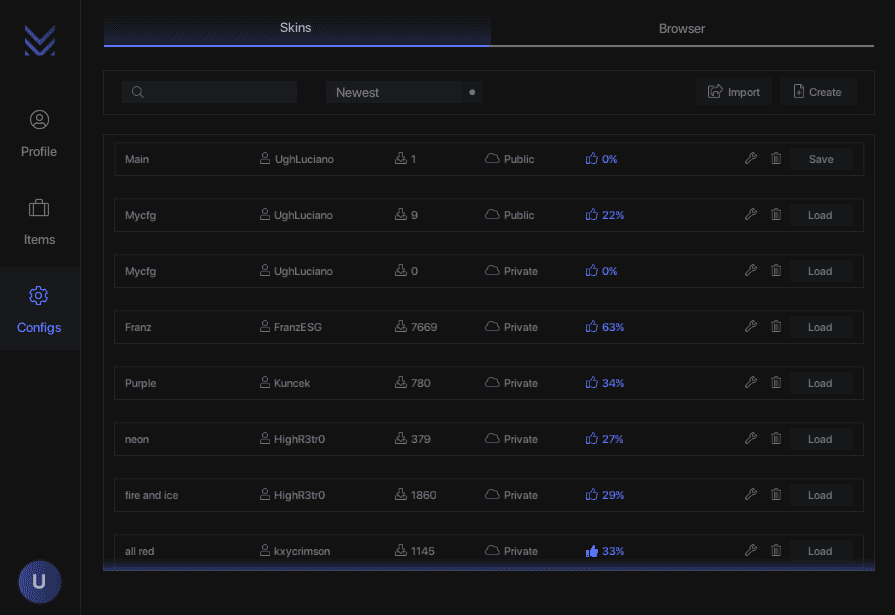
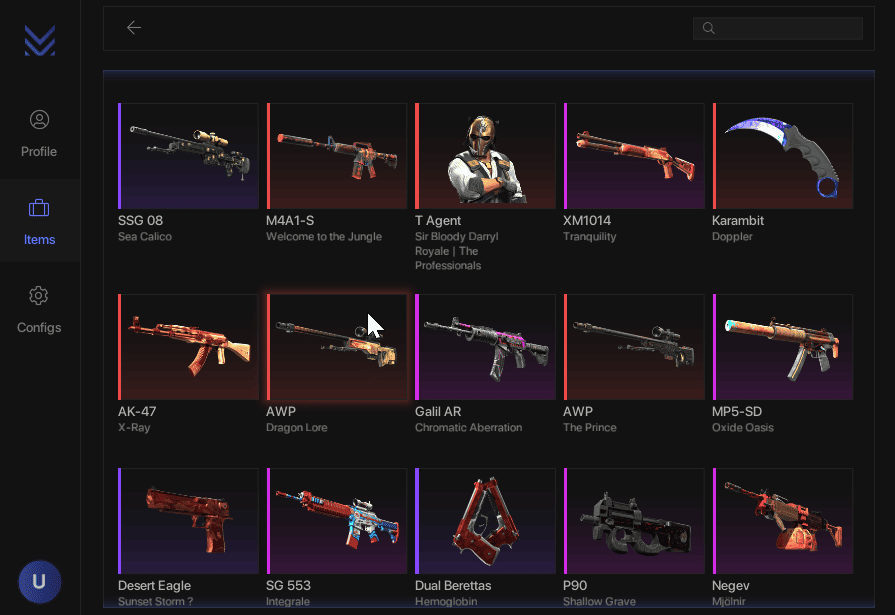
MesaChanger puts every CS2 skin, glove, knife, and agent at your fingertips — no purchases, cooldowns, or risks attached. Instantly swap between your saved loadouts or load community-made configs for quick, hassle-free customization every time you launch. With unlimited flexibility and a full catalog of rare items, MesaChanger makes your inventory as unique as your playstyle.
{% content-ref url="/pages/Z543ssF8TCxNRYUVPKPm" %}
[Redeem Key - MesaChanger CS2](/documentation/counter-strike-2/mesachanger-cs2/redeem-key-mesachanger-cs2)
{% endcontent-ref %}
{% content-ref url="/pages/WHlxnxb9q7KcYbAvF9a4" %}
[Download - MesaChanger CS2](/documentation/counter-strike-2/mesachanger-cs2/download-mesachanger-cs2)
{% endcontent-ref %}
{% content-ref url="/pages/BCqRTc020g9NKcM3UPGE" %}
[Keybinds - MesaChanger CS2](/documentation/counter-strike-2/mesachanger-cs2/keybinds-mesachanger-cs2)
{% endcontent-ref %}
{% content-ref url="/pages/x77do2kj7dMOwcgOXykH" %}
[Useful Links - MesaChanger CS2](/documentation/counter-strike-2/mesachanger-cs2/useful-links-mesachanger-cs2)
{% endcontent-ref %}
## 🖼️ Menu Images
## 📺 Showcases
{% embed url="" %}
# Redeem Key - MesaChanger CS2
This section will explain how to redeem your MesaChanger CS2 license key.
## Where Is My License Key?
* You will be taken to a page that lists your order immediately after purchase.
* You will receive an email with your order (often in your spam folder).
* You can check your orders on the site by visiting the Account -> Orders tab.
## Redeeming Your License
1. Navigate to the [Mesa Changer website](https://mesachanger.com/forum/account/upgrades), create an account, go to the upgrade tab on your account.
2. At the top, type your license key in the Coupon Code box, Press on the subscription you purchased.
3. Download the loader and launch CS2.
## Video Tutorial
{% hint style="info" %}
Coming Soon
{% endhint %}
# Download - MesaChanger CS2
This section explains how to download MesaChanger CS2.
## Redeem Your License Key
You must redeem your license key before downloading if you haven't already.
{% content-ref url="/pages/Z543ssF8TCxNRYUVPKPm" %}
[Redeem Key - MesaChanger CS2](/documentation/counter-strike-2/mesachanger-cs2/redeem-key-mesachanger-cs2)
{% endcontent-ref %}
## Disable Your Antivirus
You must disable all antivirus software before installing the menu.
[FAQ](/documentation/clutch-keys/faq#how-to-turn-off-antivirus)
## Install the Loader
1. Go to your [Account Page](https://mesachanger.com/forum/account/upgrades) and click on download to download the loader.
2. Open the Mesa Changer loader and Sign in with your Mesa Changer credentials.
3. Once logged in it will automatically open Steam, launch CS2, and the menu will be automatically loaded.
{% hint style="danger" %}
Experiencing Issues?
* If you are crashing, unable inject, or encountering other fatal issues, please visit their [FAQ page](https://mesachanger.com/forum/threads/important-information.1/) or contact their [support](https://mesachanger.com/forum/tickets).
{% endhint %}
## Video Tutorial
{% hint style="info" %}
Coming Soon
{% endhint %}
# Keybinds - MesaChanger CS2
Everything you need to know about how to use MesaChanger CS2 will be listed here.
## Keybinds
* Open/Close: Insert
* Navigate: Mouse
# Useful Links - MesaChanger CS2
All useful links for MesaChanger CS2 will be listed here.
## MesaChanger
[Mesa Changer Website](https://mesachanger.com/)
[Mesa Changer Forum](https://mesachanger.com/forum/)
[Mesa Changer Discord](https://mesachanger.com/forum/pages/Discord/)
## Clutch Keys
[Website](/documentation/clutch-keys/contact-us)
[Refund Policy](https://clutchkeys.com/terms-of-service)
[Privacy Policy](https://clutchkeys.com/privacy-policy)
[Trustpilot](https://www.trustpilot.com/review/clutchkeys.com)
[YouTube](https://youtube.com/clutchkeys)
[Discord](mailto:undefined)
# Midnight CS2
This documentation includes everything you need to know about Midnight CS2, including images, showcases, a download guide, and useful links.
## ❓ What is Midnight?
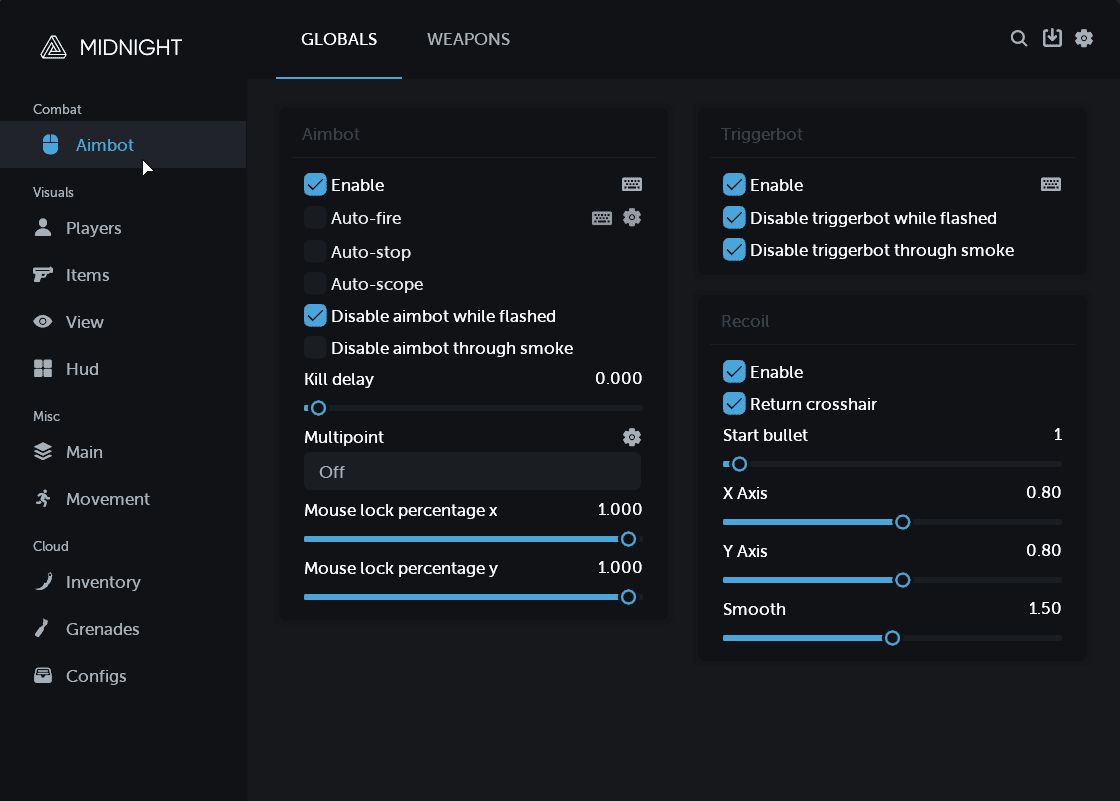
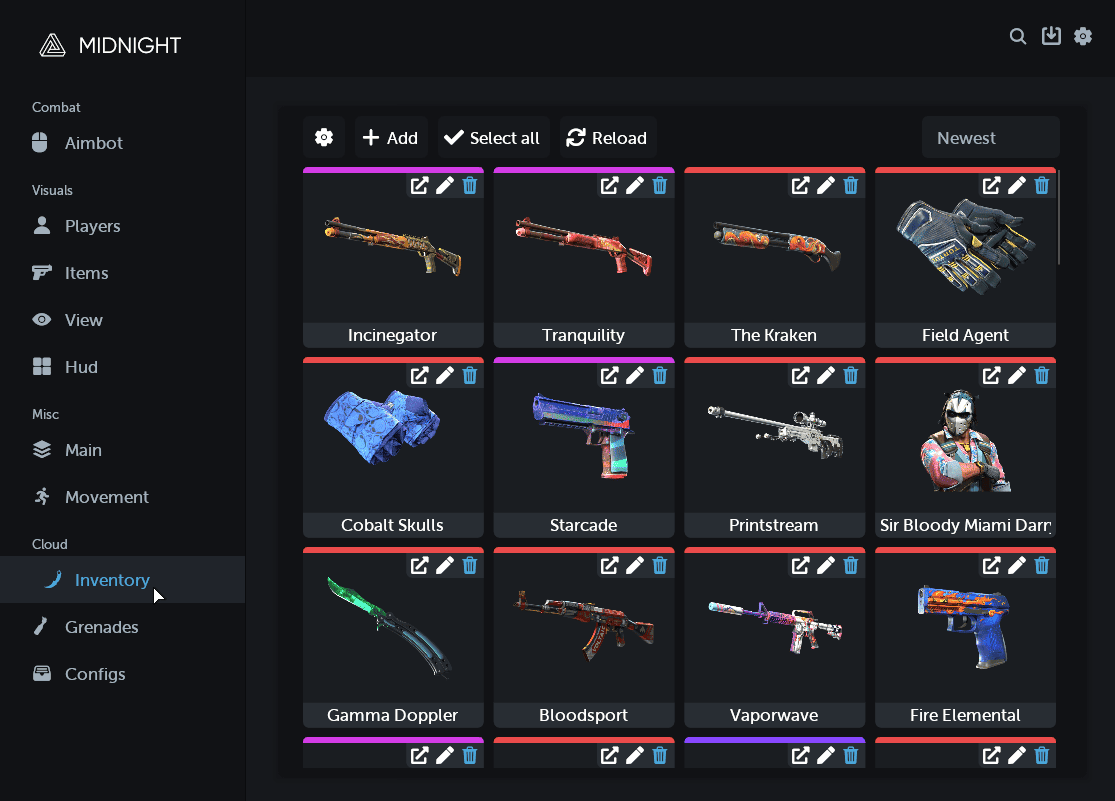
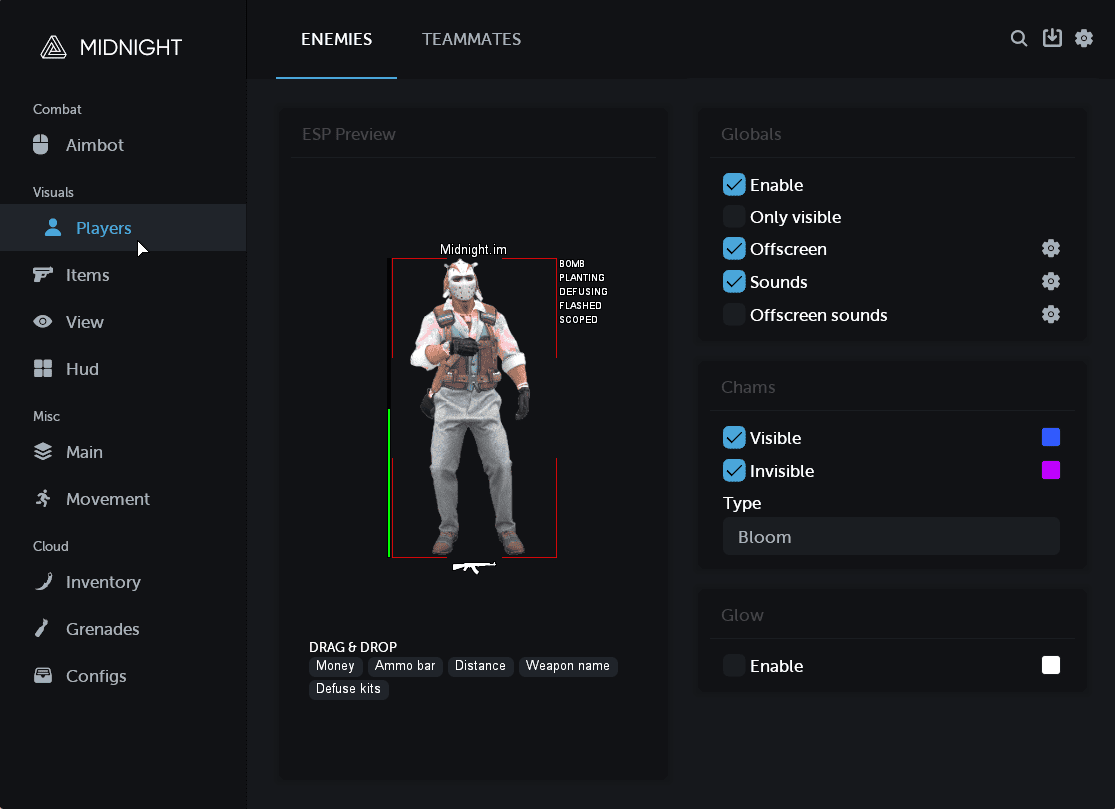
Midnight is built for players who want full control — from elite-level aimbot precision to advanced movement mechanics that keep you fast, sharp, and unstoppable. Instantly equip any skin, knife, glove, or agent with the Inventory Changer while your ESP keeps you fully aware of every player on the map. Whether you’re going legit or going rage, Midnight gives you the tools to dominate every match with confidence.
{% content-ref url="/pages/HlXvTBU7X6yS2FswAvpM" %}
[Redeem Key - Midnight CS2](/documentation/counter-strike-2/midnight-cs2/redeem-key-midnight-cs2)
{% endcontent-ref %}
{% content-ref url="/pages/McecC9PGBwe4YsbqJwHa" %}
[Download - Midnight CS2](/documentation/counter-strike-2/midnight-cs2/download-midnight-cs2)
{% endcontent-ref %}
{% content-ref url="/pages/kTDXQu8D8oMJbpsmeNPs" %}
[Keybinds - Midnight CS2](/documentation/counter-strike-2/midnight-cs2/keybinds-midnight-cs2)
{% endcontent-ref %}
{% content-ref url="/pages/nDbFtOG6p0IySMStSM3V" %}
[Useful Links - Midnight CS2](/documentation/counter-strike-2/midnight-cs2/useful-links-midnight-cs2)
{% endcontent-ref %}
## 🖼️ Menu Images
## 📺 Showcases
{% embed url="" %}
# Redeem Key - Midnight CS2
This section will explain how to redeem your Midnight CS2 license key.
## Where Is My License Key?
* You will be taken to a page that lists your order immediately after purchase.
* You will receive an email with your order (often in your spam folder).
* You can check your orders on the site by visiting the Account -> Orders tab.
## Redeeming Your License
1. Visit the [Midnight Website](https://midnight.im/register/) and change the language from Russian to English in the top right corner.
2. Next to the button to change the language, click "Register" to register a new Midnight account.
3. Midnight may send you a verification link to your email. You will need to click this before proceeding.
4. Next to the register button, click "Log in," and log in with the account you just created.
5. Go to [User CP](https://midnight.im/usercp/subscriptions/) and click "Activate Key."
## Video Tutorial
{% embed url="" %}
# Download - Midnight CS2
This section explains how to download Midnight CS2.
## Redeem Your License Key
You must redeem your license key before downloading if you haven't already.
{% content-ref url="/pages/HlXvTBU7X6yS2FswAvpM" %}
[Redeem Key - Midnight CS2](/documentation/counter-strike-2/midnight-cs2/redeem-key-midnight-cs2)
{% endcontent-ref %}
## Disable Your Antivirus
You must disable all antivirus software before installing the menu.
[FAQ](/documentation/clutch-keys/faq#how-to-turn-off-antivirus)
## Install the Loader
1. Go to [User CP](https://midnight.im/usercp/subscriptions/) and click on download to download the loader.
2. Open the Midnight loader and login with your Midnight credentials.
3. Click on Start It Now and wait for loader to download the menu files.
4. Once the loader say "please start CS2 and fight" you can open CS2 and the menu will be injected automatically.
{% hint style="danger" %}
Experiencing Issues?
* If you are crashing, unable inject, or encountering other fatal issues, please visit their [FAQ page](https://midnight.im/threads/7020/) or contact their [ticket support](https://midnight.im/usercp/tickets/) or [discord support](https://discord.gg/midnightim)
{% endhint %}
## Video Tutorial
{% embed url="" %}
# Keybinds - Midnight CS2
Everything you need to know about how to use Midnight CS2 will be listed here.
## Keybinds
* Open/Close: Insert
* Navigate: Mouse
# Useful Links - Midnight CS2
All useful links for Midnight CS2 will be listed here.
## Midnight
[Midnight Website](https://midnight.im/)
[Midnight Discord](https://discord.gg/midnightim)
## Clutch Keys
[Website](/documentation/clutch-keys/contact-us)
[Refund Policy](https://clutchkeys.com/terms-of-service)
[Privacy Policy](https://clutchkeys.com/privacy-policy)
[Trustpilot](https://www.trustpilot.com/review/clutchkeys.com)
[YouTube](https://youtube.com/clutchkeys)
[Discord](mailto:undefined)
# Nixware CS2
This documentation includes everything you need to know about Nixware CS2, including images, showcases, a download guide, and useful links.
## ❓ What is Nixware?
Nixware gives you complete control of CS2 — from a legitbot that delivers human-like aim with smooth precision to a ragebot built for full-on domination when you want to go all out. Packed with wallhacks, triggerbots, skin changers, and more, every feature is fully customizable through an advanced settings panel so you can tailor your playstyle exactly how you want. Whether you’re staying subtle or unleashing raw power, Nixware keeps you one step ahead every round.
{% content-ref url="/pages/j7xMRlQojg6gS0EgxZrO" %}
[Redeem Key - Nixware CS2](/documentation/counter-strike-2/nixware-cs2/redeem-key-nixware-cs2)
{% endcontent-ref %}
{% content-ref url="/pages/ppfCrR50PNxFp68sxWaf" %}
[Download - Nixware CS2](/documentation/counter-strike-2/nixware-cs2/download-nixware-cs2)
{% endcontent-ref %}
{% content-ref url="/pages/G5xNZ9pbA9xMdH5ZZ7BY" %}
[Keybinds - Nixware CS2](/documentation/counter-strike-2/nixware-cs2/keybinds-nixware-cs2)
{% endcontent-ref %}
{% content-ref url="/pages/KTNUbcEZQQjOWqvoNonH" %}
[Useful Links - Nixware CS2](/documentation/counter-strike-2/nixware-cs2/useful-links-nixware-cs2)
{% endcontent-ref %}
## 🖼️ Menu Images
## 📺 Showcases
{% embed url="" %}
# Redeem Key - Nixware CS2
This section will explain how to redeem your Nixware CS2 license key.
## Where Is My License Key?
* You will be taken to a page that lists your order immediately after purchase.
* You will receive an email with your order (often in your spam folder).
* You can check your orders on the site by visiting the Account -> Orders tab.
## Redeeming Your License
1. Visit the [Nixware CS2 Website](https://nixware.cc/) and register an account.
2. Go to the [Purchase Page](https://nixware.cc/purchase-cheats/) and redeem your key in the top right.
## Video Tutorial
{% hint style="info" %}
Coming Soon
{% endhint %}
# Download - Nixware CS2
This section explains how to download Nixware CS2.
## Redeem Your License Key
You must redeem your license key before downloading if you haven't already.
{% content-ref url="/pages/j7xMRlQojg6gS0EgxZrO" %}
[Redeem Key - Nixware CS2](/documentation/counter-strike-2/nixware-cs2/redeem-key-nixware-cs2)
{% endcontent-ref %}
## Disable Your Antivirus
You must disable all antivirus software before installing the menu.
[FAQ](/documentation/clutch-keys/faq#how-to-turn-off-antivirus)
## Install the Loader
1. Go to the [User Panel](https://nixware.cc/user-panel/subscriptions) and download the loader.
2. Open the Nixware CS2 loader and Sign in with your Nixware CS2 credentials.
3. Once you're logged in, press on "Load." It will automatically open Steam, launch CS2, and the menu will be automatically injected.
{% hint style="danger" %}
Experiencing Issues?
* If you are crashing, unable inject, or encountering other fatal issues, please visit their [FAQ page](https://nixware.cc/knowledge-base/) or contact their [support](https://nixware.cc/tickets/create).
{% endhint %}
## Video Tutorial
{% hint style="info" %}
Coming Soon
{% endhint %}
# Keybinds - Nixware CS2
Everything you need to know about how to use Nixware CS2 will be listed here.
## Keybinds
* Open/Close: Insert
* Navigate: Mouse
# Useful Links - Nixware CS2
All useful links for Nixware CS2 will be listed here.
## Nixware
[Nixware Website](https://nixware.cc/)
[Nixware Discord](https://nixware.cc/threads/11141/)
## Clutch Keys
[Website](/documentation/clutch-keys/contact-us)
[Refund Policy](https://clutchkeys.com/terms-of-service)
[Privacy Policy](https://clutchkeys.com/privacy-policy)
[Trustpilot](https://www.trustpilot.com/review/clutchkeys.com)
[YouTube](https://youtube.com/clutchkeys)
[Discord](mailto:undefined)
# Pellix CS2
This documentation includes everything you need to know about Pellix CS2, including images, showcases, a download guide, and useful links.
## ❓ What is Pellix?
Pellix CS2 is a high-performance external Counter-Strike 2 cheat designed for legit and competitive gameplay. Built using a secure kernel-based method, Pellix operates externally and remains stream-safe, making it a popular choice for players searching for safe CS2 cheats, external CS2 hacks, or long-term legit CS2 solutions.
{% content-ref url="/pages/cw4GDfSGUsL5RFw6xql8" %}
[Redeem Key - Pellix CS2](/documentation/counter-strike-2/pellix-cs2/redeem-key-pellix-cs2)
{% endcontent-ref %}
{% content-ref url="/pages/nakng2WCdpV0ecIbQA3c" %}
[Download - Pellix CS2](/documentation/counter-strike-2/pellix-cs2/download-pellix-cs2)
{% endcontent-ref %}
{% content-ref url="/pages/CiIwkcK57yHqlAmDhTw1" %}
[Keybinds - Pellix CS2](/documentation/counter-strike-2/pellix-cs2/keybinds-pellix-cs2)
{% endcontent-ref %}
{% content-ref url="/pages/I5AzXvUXp3dNScnM7Ddq" %}
[Useful Links - Pellix CS2](/documentation/counter-strike-2/pellix-cs2/useful-links-pellix-cs2)
{% endcontent-ref %}
## 🖼️ Menu Images
## 📺 Showcases
* *Coming soon.*
# Redeem Key - Pellix CS2
This section will explain how to redeem your Pellix CS2 license key.
## Where Is My License Key?
* You will be taken to a page that lists your order immediately after purchase.
* You will receive an email with your order (often in your spam folder).
* You can check your orders on the site by visiting the Account -> Orders tab.
## Redeeming Your License
1. Visit the [Pellix Website](https://pellix.xyz/) and Register an account.
2. Once logged in, head over to the **Counter-Strike 2** section in your [dashboard](https://pellix.xyz/personal.php).
3. Enter your **license key** and press **Activate**.
## Video Tutorial
* *Coming soon.*
# Download - Pellix CS2
This section explains how to download Pellix CS2.
## Redeem Your License Key
You must redeem your license key before downloading if you haven't already.
{% content-ref url="/pages/HlXvTBU7X6yS2FswAvpM" %}
[Redeem Key - Midnight CS2](/documentation/counter-strike-2/midnight-cs2/redeem-key-midnight-cs2)
{% endcontent-ref %}
## Disable Your Antivirus
You must disable all antivirus software before installing the menu.
[FAQ](/documentation/clutch-keys/faq#how-to-turn-off-antivirus)
## Install the Loader
1. Download the loader from the [Pellix website](https://pellix.xyz/api/game/getLoader.php). If blocked, try the [archive version](https://pellix.xyz/api/game/getLoaderZip.php)—password is in the filename. You **cannot** download the loader **without** being logged in.
2. Open CS2 before or after starting the cheat.
3. Run the loader `.exe` as admin and select **Counter-Strike 2** in the interface.
4. Press **Inject** to start the cheat.
{% hint style="danger" %}
Experiencing Issues?
* If you are crashing, unable inject, or encountering other fatal issues, please contact their [ticket support](https://pellix.xyz/personal.php)
{% endhint %}
## Video Tutorial
* *Coming soon.*
# Keybinds - Pellix CS2
Everything you need to know about how to use Pellix CS2 will be listed here.
## Keybinds
* Open/Close: Delete
* Navigate: Mouse
# Useful Links - Pellix CS2
All useful links for Pellix CS2 will be listed here.
## Pellix
[Pellix Website](https://pellix.xyz/personal.php)
[Pellix Discord](https://discord.gg/K5zAscxfAw)
## Clutch Keys
[Website](/documentation/clutch-keys/contact-us)
[Refund Policy](https://clutchkeys.com/terms-of-service)
[Privacy Policy](https://clutchkeys.com/privacy-policy)
[Trustpilot](https://www.trustpilot.com/review/clutchkeys.com)
[YouTube](https://youtube.com/clutchkeys)
[Discord](mailto:undefined)
# Undetek CS2
This documentation includes everything you need to know about Undetek CS2, including images, showcases, a download guide, and useful links.
## ❓ What is Undetek?
Undetek CS2 is a premium external Counter-Strike 2 cheat built for legit players who prioritize smooth performance, clean visuals, and strong protection. Designed with a fully external, VAC-safe approach, Undetek is commonly chosen by users searching for safe CS2 cheats, legit CS2 aimbot solutions, and low-risk external CS2 hacks for long-term competitive play.
{% content-ref url="/pages/t45okBakJXvCiQKyAOf5" %}
[Redeem Key - Undetek CS2](/documentation/counter-strike-2/undetek-cs2/redeem-key-undetek-cs2)
{% endcontent-ref %}
{% content-ref url="/pages/7PvKVkFEPbMadhLv8bFb" %}
[Download - Undetek CS2](/documentation/counter-strike-2/undetek-cs2/download-undetek-cs2)
{% endcontent-ref %}
{% content-ref url="/pages/wyhrTOR78L5308uKqTXM" %}
[Keybinds - Undetek CS2](/documentation/counter-strike-2/undetek-cs2/keybinds-undetek-cs2)
{% endcontent-ref %}
{% content-ref url="/pages/owP2GLEiNQkODn7Jmnxa" %}
[Useful Links - Undetek CS2](/documentation/counter-strike-2/undetek-cs2/useful-links-undetek-cs2)
{% endcontent-ref %}
## 🖼️ Menu Images
## 📺 Showcases
* *Coming soon.*
# Redeem Key - Undetek CS2
This section will explain how to redeem your Undetek CS2 license key.
## Where Is My License Key?
* You will be taken to a page that lists your order immediately after purchase.
* You will receive an email with your order (often in your spam folder).
* You can check your orders on the site by visiting the Account -> Orders tab.
## Redeeming Your License
1. Visit the [Undetek Website](https://undetek.com/my-account/) and **Register** an account.
2. Log into your **Undetek Account**, and enter your [license key](https://undetek.com/redeem/).
## Video Tutorial
* *Coming soon.*
# Download - Undetek CS2
This section explains how to download Undetek CS2.
## Redeem Your License Key
You must redeem your license key before downloading if you haven't already.
{% content-ref url="/pages/TWDaeciEqjixDkGvHT0e" %}
[Redeem Key - Undetek CS2](/documentation/counter-strike-2/undetek-skin-changer-cs2/redeem-key-undetek-cs2)
{% endcontent-ref %}
## Disable Your Antivirus
You must disable all antivirus software before installing the menu.
[FAQ](/documentation/clutch-keys/faq#how-to-turn-off-antivirus)
## Install the Loader
1. Go to the [dashboard](https://undetek.com/my-account/) and download the loader.
2. Run the loader `.exe` as **admin** to begin the injection process.
{% hint style="danger" %}
Experiencing Issues?
* If you are crashing, unable inject, or encountering other fatal issues, please contact their [discord support](https://discord.gg/x76KTMPuWj)
{% endhint %}
## Video Tutorial
* *Coming soon.*
# Keybinds - Undetek CS2
Everything you need to know about how to use Undetek CS2 will be listed here.
## Keybinds
* Open/Close: Delete or F8
* Navigate: Mouse
# Useful Links - Undetek CS2
All useful links for Undetek CS2 will be listed here.
## Undetek
[Undetek Website](https://undetek.com/)
[Undetek Discord](https://discord.gg/x76KTMPuWj)
## Clutch Keys
[Website](/documentation/clutch-keys/contact-us)
[Refund Policy](https://clutchkeys.com/terms-of-service)
[Privacy Policy](https://clutchkeys.com/privacy-policy)
[Trustpilot](https://www.trustpilot.com/review/clutchkeys.com)
[YouTube](https://youtube.com/clutchkeys)
[Discord](mailto:undefined)
# Undetek Skin Changer CS2
This documentation includes everything you need to know about Undetek CS2, including images, showcases, a download guide, and useful links.
## ❓ What is Undetek?
Undetek CS2 is a premium external Counter-Strike 2 cheat built for legit players who prioritize smooth performance, clean visuals, and strong protection. Designed with a fully external, VAC-safe approach, Undetek is commonly chosen by users searching for safe CS2 cheats, legit CS2 aimbot solutions, and low-risk external CS2 hacks for long-term competitive play.
{% content-ref url="/pages/TWDaeciEqjixDkGvHT0e" %}
[Redeem Key - Undetek CS2](/documentation/counter-strike-2/undetek-skin-changer-cs2/redeem-key-undetek-cs2)
{% endcontent-ref %}
{% content-ref url="/pages/KCkphDj4atzREYEL82tM" %}
[Download - Undetek CS2](/documentation/counter-strike-2/undetek-skin-changer-cs2/download-undetek-cs2)
{% endcontent-ref %}
{% content-ref url="/pages/JAikmdAblBZcPRFPDp2R" %}
[Keybinds - Undetek CS2](/documentation/counter-strike-2/undetek-skin-changer-cs2/keybinds-undetek-cs2)
{% endcontent-ref %}
{% content-ref url="/pages/R3bpH0HNJJb20O67Awn6" %}
[Useful Links - Undetek CS2](/documentation/counter-strike-2/undetek-skin-changer-cs2/useful-links-undetek-cs2)
{% endcontent-ref %}
## 🖼️ Menu Images
## 📺 Showcases
* *Coming soon.*
# Redeem Key - Undetek CS2
This section will explain how to redeem your Undetek CS2 license key.
## Where Is My License Key?
* You will be taken to a page that lists your order immediately after purchase.
* You will receive an email with your order (often in your spam folder).
* You can check your orders on the site by visiting the Account -> Orders tab.
## Redeeming Your License
1. Visit the [Undetek Website](https://undetek.com/my-account/) and **Register** an account.
2. Log into your **Undetek Account**, and enter your [license key](https://undetek.com/redeem/).
## Video Tutorial
* *Coming soon.*
# Download - Undetek CS2
This section explains how to download Undetek CS2.
## Redeem Your License Key
You must redeem your license key before downloading if you haven't already.
{% content-ref url="/pages/TWDaeciEqjixDkGvHT0e" %}
[Redeem Key - Undetek CS2](/documentation/counter-strike-2/undetek-skin-changer-cs2/redeem-key-undetek-cs2)
{% endcontent-ref %}
## Disable Your Antivirus
You must disable all antivirus software before installing the menu.
[FAQ](/documentation/clutch-keys/faq#how-to-turn-off-antivirus)
## Install the Loader
1. Go to the [dashboard](https://undetek.com/my-account/) and download the loader.
2. Run the loader `.exe` as **admin** to begin the injection process.
{% hint style="danger" %}
Experiencing Issues?
* If you are crashing, unable inject, or encountering other fatal issues, please contact their [discord support](https://discord.gg/x76KTMPuWj)
{% endhint %}
## Video Tutorial
* *Coming soon.*
# Keybinds - Undetek CS2
Everything you need to know about how to use Undetek CS2 will be listed here.
## Keybinds
* Open/Close: Delete or F8
* Navigate: Mouse
# Useful Links - Undetek CS2
All useful links for Undetek CS2 will be listed here.
## Undetek
[Undetek Website](https://undetek.com/)
[Undetek Discord](https://discord.gg/x76KTMPuWj)
## Clutch Keys
[Website](/documentation/clutch-keys/contact-us)
[Refund Policy](https://clutchkeys.com/terms-of-service)
[Privacy Policy](https://clutchkeys.com/privacy-policy)
[Trustpilot](https://www.trustpilot.com/review/clutchkeys.com)
[YouTube](https://youtube.com/clutchkeys)
[Discord](mailto:undefined)
# Vanity CS2
This documentation includes everything you need to know about Vanity CS2, including images, showcases, a download guide, and useful links.
## ❓ What is Vanity?
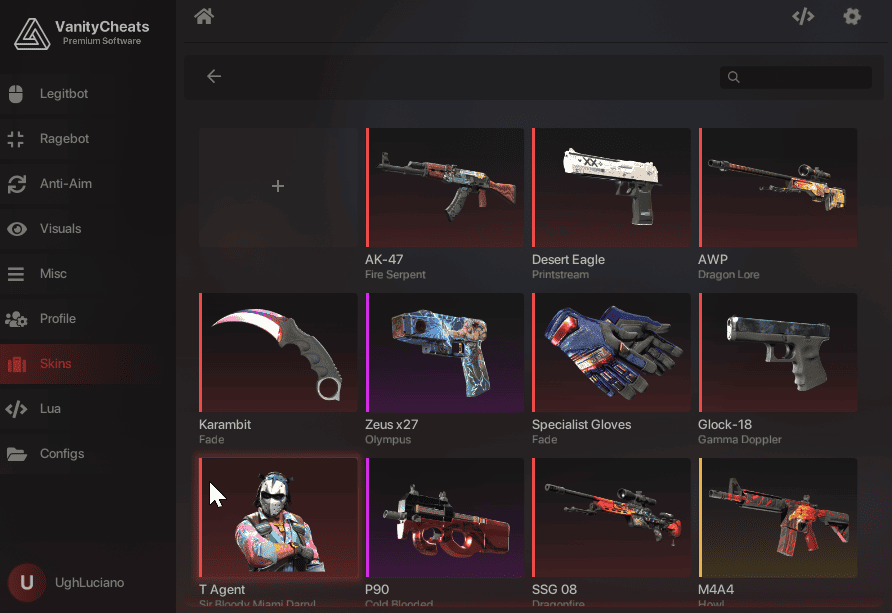
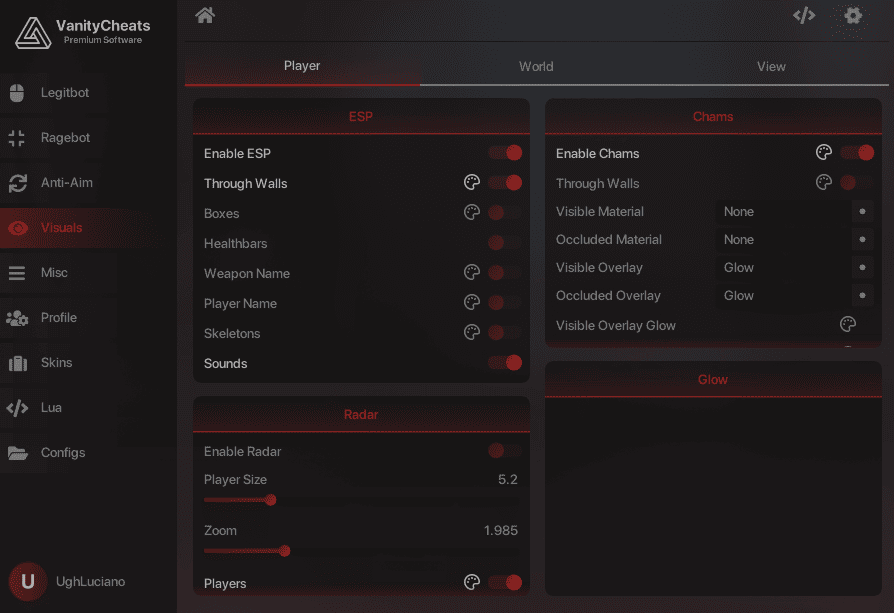
Vanity gives you the ultimate balance of power and subtlety — with a legitbot that mimics human aim through distance scaling, recoil control, and smooth aim curves for undetectable precision. Customize your visuals with ESP, radar, and chams to track every enemy without looking suspicious, while flexing any premium skin, glove, or agent through the integrated skin changer. Top it off with an intuitive config manager that lets you save, share, and load builds instantly — Vanity adapts to every playstyle, from clean legit to full rage.
{% content-ref url="/pages/hru7OfONVuE2u4igVs5Q" %}
[Redeem Key - Vanity CS2](/documentation/counter-strike-2/vanity-cs2/redeem-key-vanity-cs2)
{% endcontent-ref %}
{% content-ref url="/pages/QId7CIXbpYYMD2Wfybkm" %}
[Download - Vanity CS2](/documentation/counter-strike-2/vanity-cs2/download-vanity-cs2)
{% endcontent-ref %}
{% content-ref url="/pages/GCigKXj44cBtzKz45djO" %}
[Keybinds - Vanity CS2](/documentation/counter-strike-2/vanity-cs2/keybinds-vanity-cs2)
{% endcontent-ref %}
{% content-ref url="/pages/rKMQW37LKwOu7LlxC97C" %}
[Useful Links - Vanity CS2](/documentation/counter-strike-2/vanity-cs2/useful-links-vanity-cs2)
{% endcontent-ref %}
## 🖼️ Menu Images
## 📺 Showcases
{% embed url="" %}
# Redeem Key - Vanity CS2
This section will explain how to redeem your Vanity CS2 license key.
## Where Is My License Key?
* You will be taken to a page that lists your order immediately after purchase.
* You will receive an email with your order (often in your spam folder).
* You can check your orders on the site by visiting the Account -> Orders tab.
## Redeeming Your License
1. Visit the [VanityCheats Website](https://vanitycheats.xyz/forum/login/register) and register an account.
2. Go to the [License Page](https://vanitycheats.xyz/forum/account/upgrades) and redeem your key.
## Video Tutorial
{% embed url="" %}
# Download - Vanity CS2
This section explains how to download Vanity CS2.
## Redeem Your License Key
You must redeem your license key before downloading if you haven't already.
{% content-ref url="/pages/hru7OfONVuE2u4igVs5Q" %}
[Redeem Key - Vanity CS2](/documentation/counter-strike-2/vanity-cs2/redeem-key-vanity-cs2)
{% endcontent-ref %}
## Disable Your Antivirus
You must disable all antivirus software before installing the menu.
[FAQ](/documentation/clutch-keys/faq#how-to-turn-off-antivirus)
## Install the Loader
1. Visit the [VanityCheats Website](https://vanitycheats.xyz/forum/login/register) and register an account
2. Go to the [Upgrades Page](https://vanitycheats.xyz/forum/account/upgrades) and redeem your License Key.
3. Download and Open the VanityCheats loader and Sign in with your VanityCheats credentials.
{% hint style="danger" %}
Experiencing Issues?
* If you are crashing, unable inject, or encountering other fatal issues, please visit their [FAQ page](https://vanitycheats.xyz/forum/threads/information.117/) or contact their [support](https://vanitycheats.xyz/forum/tickets).
{% endhint %}
## Video Tutorial
{% embed url="" %}
# Keybinds - Vanity CS2
Everything you need to know about how to use Vanity CS2 will be listed here.
## Keybinds
* Open/Close: Insert
* Navigate: Mouse
# Useful Links - Vanity CS2
All useful links for Vanity CS2 will be listed here.
## Vanity
[Vanity Website](https://vanitycheats.xyz/)
## Clutch Keys
[Website](/documentation/clutch-keys/contact-us)
[Refund Policy](https://clutchkeys.com/terms-of-service)
[Privacy Policy](https://clutchkeys.com/privacy-policy)
[Trustpilot](https://www.trustpilot.com/review/clutchkeys.com)
[YouTube](https://youtube.com/clutchkeys)
[Discord](mailto:undefined)
# Xone CS2
This documentation includes everything you need to know about Xone CS2, including images, showcases, a download guide, and useful links.
## ❓ What is Xone?
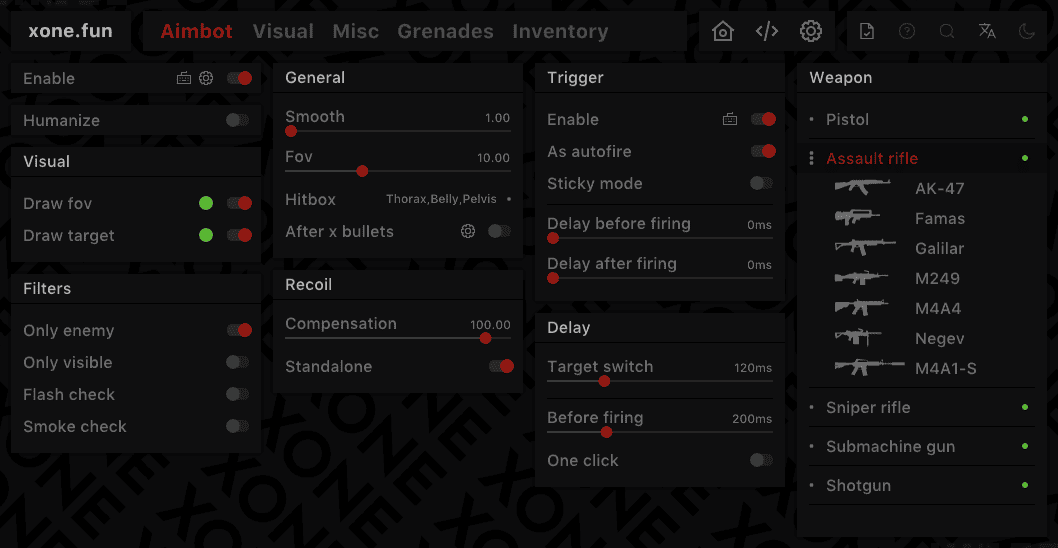
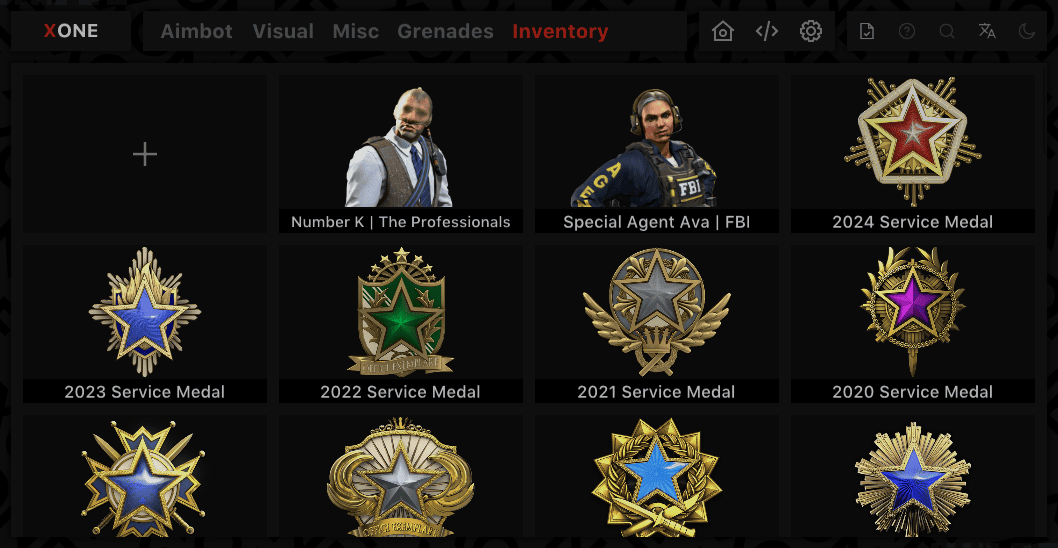
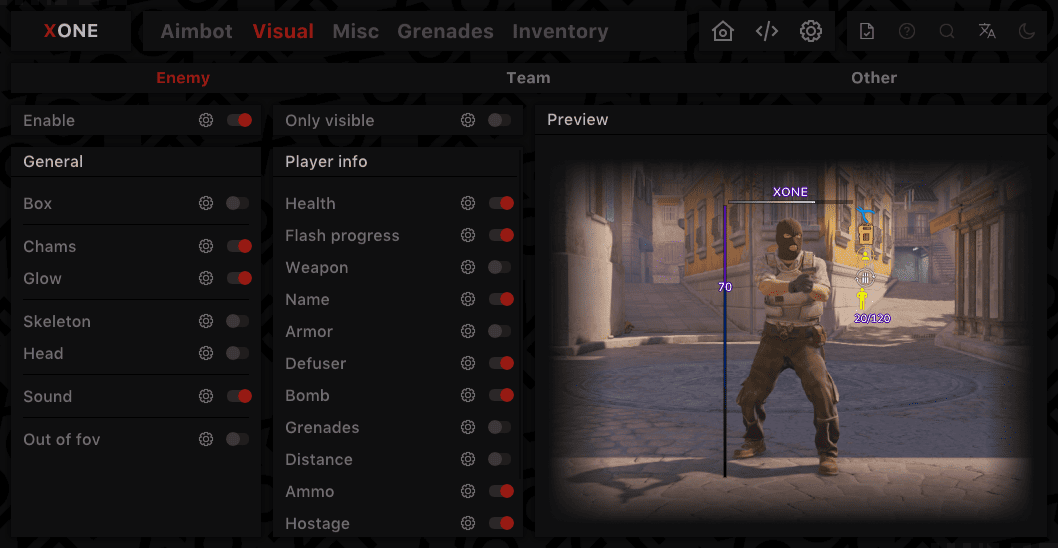
Xone puts dominance on demand — from an iron-grip aimbot with fine control over smoothing, FOV, recoil, target priority, and shot timing to an ESP suite that shows chams, glow, and real-time health/weapon info so you never get surprised. Master every map with preloaded grenade lineups for all meta spots, turning throws into automatic execution. Finish the flex with Xone’s Inventory Spoofer to unlock medals, premium agents, and rare skins instantly — all backed by Clutch Keys.
{% content-ref url="/pages/KMWEXfac2h9nRipZWcm7" %}
[Redeem Key - Xone CS2](/documentation/counter-strike-2/xone-cs2/redeem-key-xone-cs2)
{% endcontent-ref %}
{% content-ref url="/pages/WhDayszVMVCDJGS5oeqj" %}
[Download - Xone CS2](/documentation/counter-strike-2/xone-cs2/download-xone-cs2)
{% endcontent-ref %}
{% content-ref url="/pages/EmpldNBL9tjDVrvBWqEu" %}
[Keybinds - Xone CS2](/documentation/counter-strike-2/xone-cs2/keybinds-xone-cs2)
{% endcontent-ref %}
{% content-ref url="/pages/fhKyI870LXyP6YBqpmCT" %}
[Useful Links - Xone CS2](/documentation/counter-strike-2/xone-cs2/useful-links-xone-cs2)
{% endcontent-ref %}
## 🖼️ Menu Images
## 📺 Showcases
{% embed url="" %}
# Redeem Key - Xone CS2
This section will explain how to redeem your Xone CS2 license key.
## Where Is My License Key?
* You will be taken to a page that lists your order immediately after purchase.
* You will receive an email with your order (often in your spam folder).
* You can check your orders on the site by visiting the Account -> Orders tab.
## Redeeming Your License
1. Visit the [Xone Website](https://xone.fun/home) and register an account. -> Do not enter special symbols in your username
2. Click "Activate Key" at the top of the website, paste your license key, then click "Activate."
## Video Tutorial
{% hint style="info" %}
Coming Soon
{% endhint %}
# Download - Xone CS2
This section explains how to download Xone CS2.
## Redeem Your License Key
You must redeem your license key before downloading if you haven't already.
{% content-ref url="/pages/KMWEXfac2h9nRipZWcm7" %}
[Redeem Key - Xone CS2](/documentation/counter-strike-2/xone-cs2/redeem-key-xone-cs2)
{% endcontent-ref %}
## Disable Your Antivirus
You must disable all antivirus software before installing the menu.
[FAQ](/documentation/clutch-keys/faq#how-to-turn-off-antivirus)
## Install the Loader
1. Go to the [Xone Website](https://xone.fun/home) and login with your account.
2. Click "Download Launcher" on the left side (if it asks for a password, enter "123").
3. Open Steam as an administrator.
4. Open the Xone Loader as an administrator, then login.
5. Start CS2, then wait for the menu to be injected. a
{% hint style="danger" %}
Experiencing Issues?
* If you are crashing, unable inject, or encountering other fatal issues, please visit their [VK Group](https://vk.com/xone_software) or contact their [ticket support](https://xone.fun/en/support).
{% endhint %}
## Video Tutorial
{% hint style="info" %}
Coming Soon
{% endhint %}
# Keybinds - Xone CS2
Everything you need to know about how to use Xone CS2 will be listed here.
## Keybinds
* Open/Close: Insert
* Navigate: Mouse
# Useful Links - Xone CS2
All useful links for Xone CS2 will be listed here.
## Xone
[Xone Website](https://xone.fun/en)
[Xone VK Group](https://vk.com/xone_software)
## Clutch Keys
[Website](/documentation/clutch-keys/contact-us)
[Refund Policy](https://clutchkeys.com/terms-of-service)
[Privacy Policy](https://clutchkeys.com/privacy-policy)
[Trustpilot](https://www.trustpilot.com/review/clutchkeys.com)
[YouTube](https://youtube.com/clutchkeys)
[Discord](mailto:undefined)
# Predator Systems L4D2
This documentation includes everything you need to know about Predator Systems L4D2, including images, showcases, a download guide, and useful links.
## ❓ What is Predator Systems L4D2?
Predator Left 4 Dead 2 Cheat features smooth aimbot, customizable visuals, and movement enhancements for consistent gameplay. With ESP, radar, exploit options, and cloud config support, it delivers reliable performance and VAC-compatible stability for an improved L4D2 experience.
{% content-ref url="/pages/2IJl2Oxv3BAw9AjGvKSz" %}
[Redeem Key - Predator L4D2](/documentation/left-4-dead-2/predator-systems-l4d2/redeem-key-predator-l4d2)
{% endcontent-ref %}
{% content-ref url="/pages/3GdH3HzB4vdqX5wVBWg8" %}
[Download - Predator Systems L4D2](/documentation/left-4-dead-2/predator-systems-l4d2/download-predator-systems-l4d2)
{% endcontent-ref %}
{% content-ref url="/pages/QoVmKw0DYdNMgSvkvjKy" %}
[Keybinds - Predator L4D2](/documentation/left-4-dead-2/predator-systems-l4d2/keybinds-predator-l4d2)
{% endcontent-ref %}
{% content-ref url="/pages/6Wtz7ICQUwFr9sMXras5" %}
[Useful Links - Predator L4D2](/documentation/left-4-dead-2/predator-systems-l4d2/useful-links-predator-l4d2)
{% endcontent-ref %}
## 🖼️ Menu Images
## 📺 Showcases
* *Coming soon.*
# Redeem Key - Predator L4D2
This section will explain how to redeem your Predator L4D2 license key.
## Where Is My License Key?
* You will be taken to a page that lists your order immediately after purchase.
* You will receive an email with your order (often in your spam folder).
* You can check your orders on the site by visiting the Account -> Orders tab.
## Redeeming Your License
1. Visit the [Predator Website](https://predator.systems/register/) and register an account.
2. Head to the [Activation page](https://predator.systems/products/) and redeem your License key.
## Video Tutorial
* *Coming soon.*
# Download - Predator Systems L4D2
This section explains how to download Predator Systems L4D2.
## Redeem Your License Key
You must redeem your license key before downloading if you haven't already.
{% content-ref url="/pages/2IJl2Oxv3BAw9AjGvKSz" %}
[Redeem Key - Predator L4D2](/documentation/left-4-dead-2/predator-systems-l4d2/redeem-key-predator-l4d2)
{% endcontent-ref %}
## Disable Your Antivirus
You must disable all antivirus software before installing the menu.
[FAQ](/documentation/clutch-keys/faq#how-to-turn-off-antivirus)
## Install the Loader
1. Go to the [Customer Panel](https://predator.systems/panel/download) and download the Loader.
2. Run the `.exe` as **Administrator** before launching L4D2.
3. Log in to your account and go to the **L4D2** tab.
4. Press **Load** and wait for the loader to **automatically** open Steam.
5. Once Steam is open, launch the game and the cheat will be injected.
{% hint style="danger" %}
Experiencing Issues?
* If you are crashing, unable inject, or encountering other fatal issues, please visit their [FAQ page](https://predator.systems/forums/faq.7/) or contact their [ticket support](https://predator.systems/support/)
{% endhint %}
## Video Tutorial
* *Coming soon.*
# Keybinds - Predator L4D2
Everything you need to know about how to use Predator Systems L4D2 will be listed here.
## Keybinds
* Open/Close: Insert
* Navigate: Mouse
# Useful Links - Predator L4D2
All useful links for Predator L4D2 will be listed here.
## Predator Systems
[Predator Systems Website](https://predator.systems/)
[Predator Systems Discord](https://discord.gg/zHb7ZtAksT)
## Clutch Keys
[Website](/documentation/clutch-keys/contact-us)
[Refund Policy](https://clutchkeys.com/terms-of-service)
[Privacy Policy](https://clutchkeys.com/privacy-policy)
[Trustpilot](https://www.trustpilot.com/review/clutchkeys.com)
[YouTube](https://youtube.com/clutchkeys)
[Discord](mailto:undefined)
# Predator Systems Marvel Rivals
This documentation includes everything you need to know about Predator Systems Marvel Rivals, including images, showcases, a download guide, and useful links.
## ❓ What is Predator Marvel Rivals?
Predator Marvel Rivals Cheat delivers pinpoint accuracy and tactical awareness for competitive edge. Its advanced aimbot includes customizable FOV, smoothness, and hero-specific prediction, with filters for visibility and distance. Visual ESP features like glow, skeletons, health bars, and ultimate charge tracking keep you informed at all times. Extras like radar, keybind lists, and technical watermarking add control and polish. With Trusted Mode compatibility and dynamic FOV options, it’s built for seamless, high-performance gameplay.
{% content-ref url="/pages/b3v4YprEf0iXSTkZeIKl" %}
[Redeem Key - Predator Marvel Rivals](/documentation/marvel-rivals/predator-systems-marvel-rivals/redeem-key-predator-marvel-rivals)
{% endcontent-ref %}
{% content-ref url="/pages/L3xyoDCHl5jiXDtqe35V" %}
[Download - Predator Marvel Rivals](/documentation/marvel-rivals/predator-systems-marvel-rivals/download-predator-marvel-rivals)
{% endcontent-ref %}
{% content-ref url="/pages/wsYJI2AoC9iJgglart43" %}
[Keybinds - Predator Marvel Rivals](/documentation/marvel-rivals/predator-systems-marvel-rivals/keybinds-predator-marvel-rivals)
{% endcontent-ref %}
{% content-ref url="/pages/CaXc7NtexdMJw8QG48Rt" %}
[Useful Links - Predator Marvel Rivals](/documentation/marvel-rivals/predator-systems-marvel-rivals/useful-links-predator-marvel-rivals)
{% endcontent-ref %}
## 🖼️ Menu Images
## 📺 Showcases
* *Coming soon.*
# Redeem Key - Predator Marvel Rivals
This section will explain how to redeem your Predator Marvel Rivals license key.
## Where Is My License Key?
* You will be taken to a page that lists your order immediately after purchase.
* You will receive an email with your order (often in your spam folder).
* You can check your orders on the site by visiting the Account -> Orders tab.
## Redeeming Your License
1. Visit the [Predator Website](https://predator.systems/register/) and register an account.
2. Head to the [Activation page](https://predator.systems/products/) and redeem your License key.
## Video Tutorial
* *Coming soon.*
# Download - Predator Marvel Rivals
This section explains how to download Predator Marvel Rivals.
## Redeem Your License Key
You must redeem your license key before downloading if you haven't already.
{% content-ref url="/pages/b3v4YprEf0iXSTkZeIKl" %}
[Redeem Key - Predator Marvel Rivals](/documentation/marvel-rivals/predator-systems-marvel-rivals/redeem-key-predator-marvel-rivals)
{% endcontent-ref %}
## Disable Your Antivirus
You must disable all antivirus software before installing the menu.
[FAQ](/documentation/clutch-keys/faq#how-to-turn-off-antivirus)
## Install the Loader
1. Go to the [Customer Panel](https://predator.systems/panel/download) and download the Loader.
2. Run the `.exe` as **Administrator before** launching Marvel Rivals.
3. Log in to your account and go to the **Marvel Rivals** tab.
4. Press **Load** and wait for the loader to **automatically** open Steam.
5. Once Steam is open, launch the game and the cheat will be injected.
{% hint style="danger" %}
Experiencing Issues?
* If you are crashing, unable inject, or encountering other fatal issues, please visit their [FAQ page](https://predator.systems/forums/faq.7/) or contact their [ticket support](https://predator.systems/support/)
{% endhint %}
## Video Tutorial
* *Coming soon.*
# Keybinds - Predator Marvel Rivals
Everything you need to know about how to use Predator Marvel Rivals will be listed here.
## Keybinds
* Open/Close: Insert
* Navigate: Mouse
# Useful Links - Predator Marvel Rivals
All useful links for Predator Marvel Rivals will be listed here.
## Predator
[Predator Website](https://predator.systems/)
[Predator Discord](https://discord.gg/zHb7ZtAksT)
## Clutch Keys
[Website](/documentation/clutch-keys/contact-us)
[Refund Policy](https://clutchkeys.com/terms-of-service)
[Privacy Policy](https://clutchkeys.com/privacy-policy)
[Trustpilot](https://www.trustpilot.com/review/clutchkeys.com)
[YouTube](https://youtube.com/clutchkeys)
[Discord](mailto:undefined)
---
[Next Page](/llms-full.txt/1)